Liltio Review (2026)Local Mac Dictation, $49 Once
 By Daan Haket · Researched and written with an AI assistant · who does what
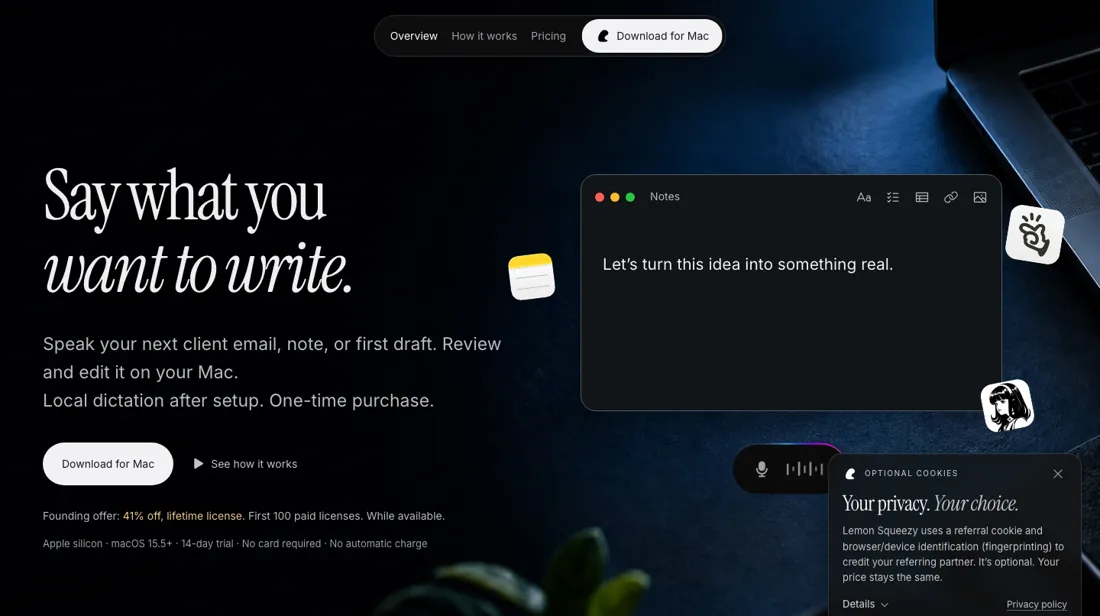
Liltio runs only on Apple silicon Macs with macOS 15.5 or later, so Windows users and owners of Intel Macs are out, and one licence covers 2 Macs.
- Best for Apple silicon Mac users who dictate daily
From $49 · Liltio Local · one-off, lifetime Local licence for 2 Macs at the standard price · read 2026-11-13
Try Liltio →Affiliate link: we may earn a commission if you sign up, at no extra cost to you. It never changes our verdict.
Is Liltio right for you?
Your pain“Typing every email and first draft by hand eats my day, and I won't send my voice to a server.”
Does Liltio solve it?YesVendor pricing page, read 23 Oct 2026: recognition runs on your Mac, you hold the Fn or Globe key to speak, and recordings are not kept in history.
Your planLiltio Local, $49 once for 2 Macs; a $29 founding price applies only while early licences last
Try Liltio →
Your pain“My dictated notes come out rough, but they are private and I can't send them just anywhere.”
Does Liltio solve it?PartlyVendor pricing page, read 23 Oct 2026: shorten, polish and translate can run locally, but a remote AI you configure receives your prompts, text and context.
Your planSame Liltio Local licence; keep the AI transforms local or off
Try Liltio →
- you work on Windows or an Intel Mac, or you need dictation on more than two Macs per licence.
The “Try” buttons are affiliate links: we may earn a commission if you sign up, at no extra cost to you, and it never changes our verdict.
Transparency: the “Visit” links on this page are affiliate links: we may earn a commission if you sign up, at no extra cost to you. No vendor can pay for a better review or verdict. How we make money →
Pricing (2026)
✓ Pricing re-verified 13 Nov 2026
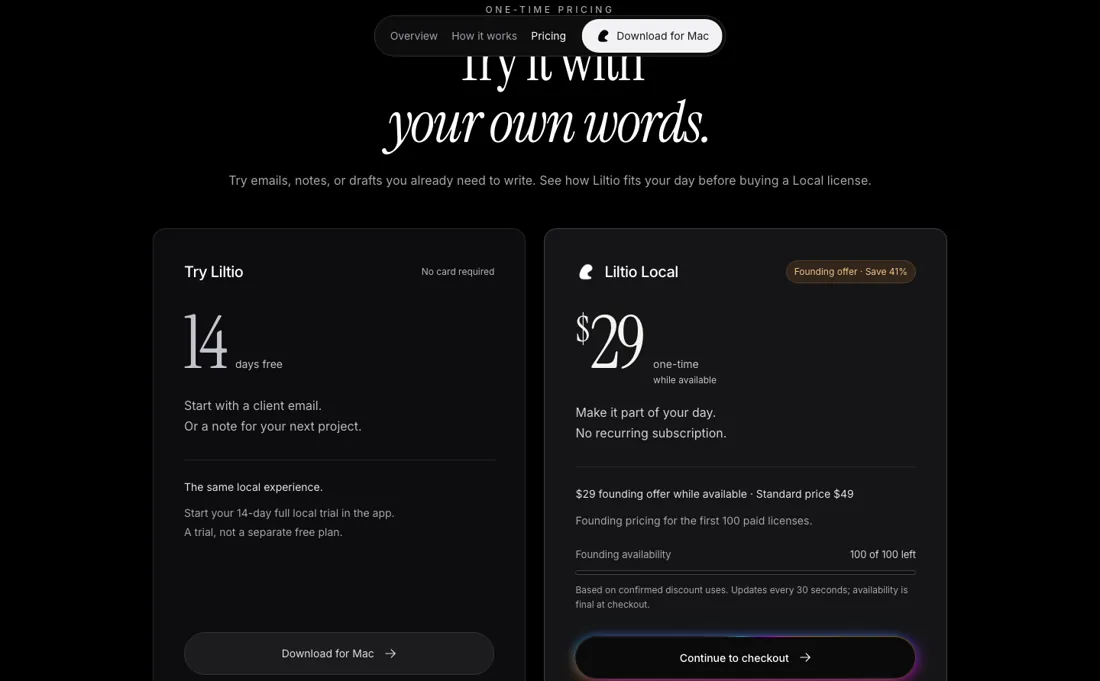
Liltio sells one product, Liltio Local, as a one-time lifetime licence: $49 standard price, with no recurring subscription. A founding offer takes it to $29 for the first 100 paid licences, applied automatically while available; on 23 October 2026 the page counted 100 of 100 left and said availability is final at checkout. The licence covers 2 Macs and future Liltio updates; separately branded products are not included.
Before buying there is a 14-day full local trial in the app, with no card and no automatic charge when it ends. It is a trial, not a free plan. The page showed the same amounts on 12 October 2026. Re-read on 13 November 2026 with a plain fetch of liltio.com and liltio.com/terms: $49 standard, $29 founding offer for the first 100 paid licences, 2 Macs, the 14-day trial without a card and without an automatic charge, all unchanged.
The live counter of founding licences loads by script and was not read that day. Plans change, so check the live price on their site before you buy.
Category context: IT & Productivity. Across the 43 tools in this category that we researched with a public US-dollar price, the median entry price is $15 a month (lowest paid plan as listed, per seat where the vendor prices per seat). Compare pricing conditions in the Software Cost Atlas →
What the pricing page doesn’t say
Speech recognition is local, but if you switch on a configured remote AI for text transforms, your prompts, text and relevant context go to that provider. We found no refund terms on the pricing page.
Watch the video review
The video version of this review, from our YouTube channel.
What Liltio does
Mac dictation app that runs speech recognition locally: hold the Fn or Globe key, speak, and the text lands in the field you are typing in, with optional AI to shorten, polish or translate. One-time licence for Apple silicon Macs.
One product, so the only choice is when to buy
There is no tier ladder: Liltio Local is the only paid product, and every buyer gets the same local dictation, dictionary and snippets. The decision is timing. The founding price of $29 instead of $49 runs only for the first 100 paid licences, and the page shows a live counter, so the saving is real while it lasts and gone once the counter reaches zero. The optional AI text transforms (shorten, polish, translate) can run locally, through a remote AI you configure yourself, or be switched off.
The pricing section lists no AI usage charges; a remote provider you configure has its own terms. Paying more never buys more seats: one licence activates on up to two Macs (terms, read 13 November 2026), so a third Mac needs a second licence, and the purchase does not change the separate licences of the speech models you download.
How to actually use Liltio
Check the requirements first: an Apple silicon Mac with macOS 15.5 or later, about 1.05 GB for the speech setup, and an internet connection for the initial model download and for trial or licence activation. Liltio asks for Microphone and Accessibility permissions. Then start the 14-day full local trial from inside the app; no card is needed and nothing is charged when it ends. Dictation works by holding the Fn or Globe key, speaking, and releasing to insert the text into a supported field, so test it in the apps you write in most before you buy. After activation, a paid Local licence keeps local dictation available offline.
Distilled from Liltio's own website, liltio.com: the homepage, pricing section, requirements and FAQ, read on 23 October 2026 (and on 12 October 2026). Liltio is an affiliate partner of ours through Lemon Squeezy. We have not used the software ourselves. Re-read on 13 November 2026 with a plain fetch: https://liltio.com/ (pricing section and FAQ: supported fields, memory modes, 32 speech locales) and https://liltio.com/terms (licence on up to two Macs, refund requests reviewed case by case). liltio.com has no llms.txt.
The natural comparison is Apple Dictation: the dictation built into macOS costs nothing extra, so Liltio has to earn its price with what it adds: a hold-to-talk hotkey that inserts at your cursor, a personal dictionary and snippets, local history and optional AI transforms to shorten, polish or translate.
Frequently asked questions
How much does Liltio cost?
$49 once for a lifetime Liltio Local licence, read on 23 October 2026, or $29 while the founding offer for the first 100 paid licences lasts. There is no subscription. Prices are in US dollars before tax.
Does Liltio send my voice to a server?
Liltio says no: speech recognition runs on your Mac and recordings are not kept in history. Only if you configure a remote AI for text transforms do your prompts, text and relevant context go to that provider.
Which Macs does it run on?
Apple silicon Macs with macOS 15.5 or later. One licence covers 2 Macs.
Is there a free version?
No free plan. You can try everything for 14 days inside the app; Liltio asks for no card and charges nothing when the trial is over.
Can I get a refund on a Liltio licence?
Possibly, case by case. The terms (section 5, read 13 November 2026) say refund requests go to help@liltio.com with your purchase email and order reference, are reviewed individually against the purchase, the issue, consumer law and the payment provider's terms, and that this is "not a blanket no refunds policy". Approved refunds go back through the original payment provider. Use the 14-day trial so you do not need one.
Will Liltio type into every app on my Mac?
No. The FAQ (read 13 November 2026) says Liltio works with supported editable fields and checks the target again before it inserts text; if the field is secure, has changed or is not supported, it offers a Copy fallback instead. Test the apps you write in during the trial.
What does Liltio keep of my dictations?
You choose. The FAQ (read 13 November 2026) lists three modes: Ephemeral avoids keeping full transcripts, Local learning, and History, which stores results only on that Mac for the retention period you pick.
Is this a hands-on review of Liltio?
This is a researched assessment, not a hands-on test. Where we've used a tool ourselves, we say so explicitly. We name what each tool is good and bad at, and we earn a commission only if you sign up, at no cost to you.
- Read 2026-10-23 on liltio.com/#pricing; US dollars, before applicable taxes.
- A dated screenshot of that pricing page, kept on this site as the receipt.
Bottom line
In one line: Apple silicon and macOS 15.5+ only; one licence covers 2 Macs.
Best for: Apple silicon Mac users who dictate daily.
The Try button is an affiliate link; we may earn a commission at no extra cost to you.
Others in this category
Reviewed it & productivity tools that share ground with Liltio. They are comparable in what they do, not drop-in swaps:
New reviews, price changes we recorded, and the cost conditions we found. No sponsored placements. Unsubscribe anytime.
This is our researched assessment, not a paid placement. The “Visit” links on this page are affiliate links: we may earn a commission if you sign up, at no extra cost to you, and it never changes our take. How we review →