NordPass Review (2026)€3.99 a Seat, Teams Only in 10-Packs
Teams is sold only as a 10-user pack and Business and Enterprise have a 5-user minimum, so very small teams pay for empty seats.
small and mid-sized companies that want a simple password manager with sharing and breach monitoring, and individuals who want a cheap first year of Premium.
you are a team of two or three that does not want to pay for a 5- or 10-seat minimum, or you need Entra ID or Okta SSO without paying for Enterprise.
Transparency: the “Visit” links on this page are affiliate links — we may earn a commission if you sign up, at no extra cost to you. No vendor can pay for a better review or verdict. How we make money →
Pricing (2026)
✓ Pricing re-verified 8 Oct 2026
Personal plans: Premium is €1.99 a month on the 1-year plan (€23.88 for the first 12 months, shown against €35.88) or €1.39 a month on the 2-year plan with 3 extra months (€37.53 for the first 27 months, against €80.73); Family, for 6 user accounts, is €3.69 a month on 1 year (€44.28 for the first 12 months) or €2.49 on 2 years (€67.23 for the first 27 months).
Personal plans carry a 30-day money-back guarantee. Business plans, per user per month: Teams €1.99 on 1 year, €1.79 on 2 years and €2.49 billed monthly, sold as a 10-user pack only; Business €3.99, €3.59 and €5.99 with a 5-user minimum; Enterprise €5.99, €5.39 and €7.99 with a 5-user minimum. The page offers an extra 10% off annual Business and Enterprise plans with the code NPFALL26.
Full pricing notes (2 more paragraphs)
Teams includes password generation and sharing, offline access, activity monitoring, company-wide security settings, MFA and SSO with Google Workspace; Business adds group and folder sharing, password strength and data breach monitoring and a Vanta compliance integration; Enterprise adds SSO with Entra ID, MS ADFS and Okta, automatic user provisioning and Microsoft Sentinel and Splunk integrations. The Free plan has autosave, autofill and secure storage, but not access on multiple devices, password health or the breach scanner, and includes a 30-day Premium trial.
The personal prices are introductory for the first term; the page shows the higher regular figure next to each.
Plans change — always verify the live price on their site.
Category context: IT & Productivity. Across the 35 tools in this category that we researched with a public US-dollar price, the median entry price is $14 a month (lowest paid plan as listed, per seat where the vendor prices per seat). Compare pricing conditions in the Software Cost Atlas →
What the pricing page doesn’t say
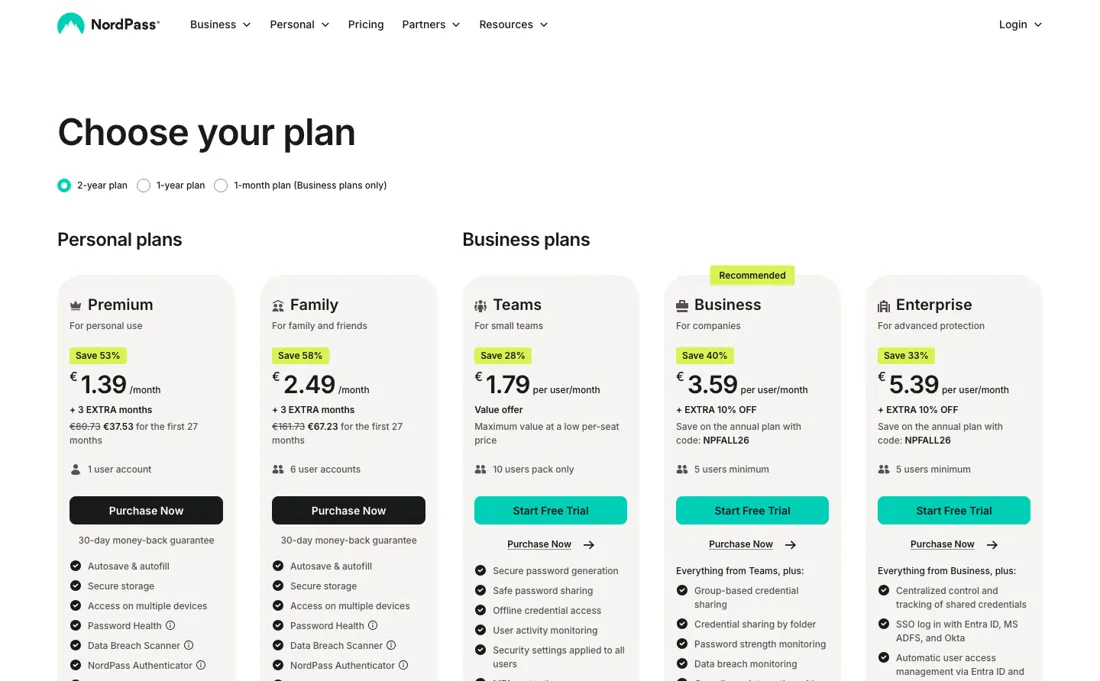
SSO with Entra ID, ADFS or Okta is only on Enterprise. The Free plan does not sync across devices, and personal prices are introductory for the first term, with a higher regular price shown next to them. Prices exclude VAT. We have not used NordPass ourselves.
What NordPass does
Password manager from the makers of NordVPN for individuals, families and companies: password sharing, breach monitoring, MFA and SSO, with admin controls on the business plans.
Small teams pay for ten seats; Business starts at five
For a company the choice is between three tiers, and the seat rules matter as much as the prices. Teams at €1.99 per user a month is sold only as a 10-user pack, so a team of four still pays for ten. Business at €3.99 has a 5-user minimum and is the first tier with group and folder sharing and breach monitoring, which is what most companies with more than one department want.
Enterprise at €5.99 is about identity: SSO through Entra ID, ADFS or Okta, automatic provisioning and SIEM integrations. If you run Microsoft or Okta for logins, Business will not connect to it; Teams and Business offer SSO only with Google Workspace. Monthly billing costs 50% more on Business (€5.99 against €3.99). For individuals, Premium is cheap in the first term, but the page shows a higher regular price next to each introductory one, so budget for the renewal.
How to actually use NordPass
Count your users first: below ten, compare a 10-user Teams pack with five Business seats, which cost about the same per month. Check which login provider you use; SSO with Entra ID or Okta needs Enterprise. Start the business free trial and import passwords from the browser or your current manager before rolling it out. For personal use, note the renewal date, because the introductory price applies to the first term only.
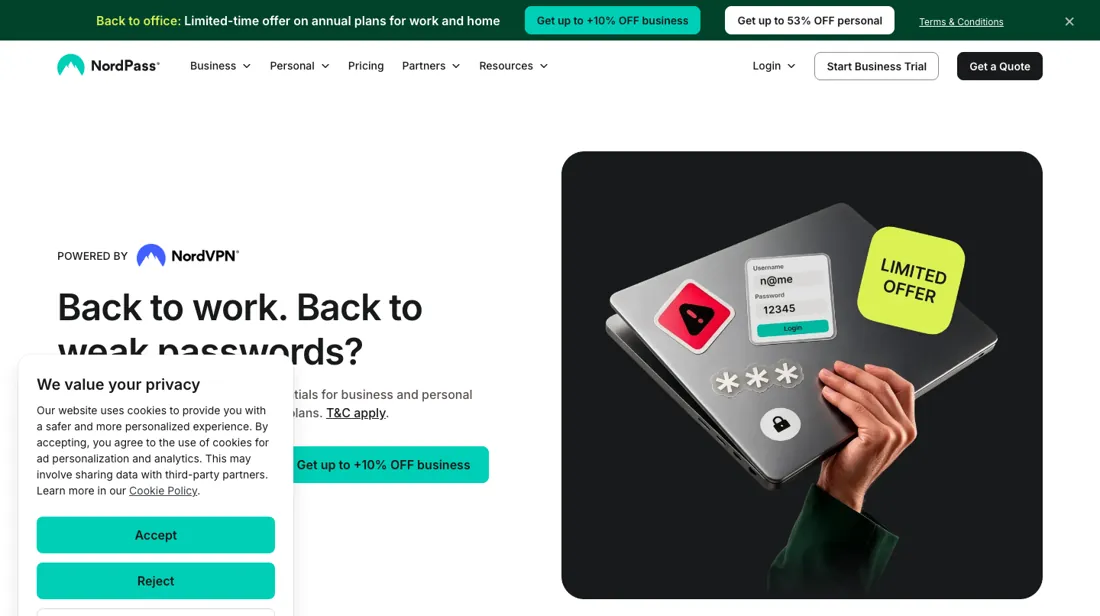
Distilled from NordPass's own pricing page, read in a headless browser on 2026-10-08 from a Netherlands connection, on the 2-year, 1-year and 1-month tabs (personal and business plans, seat rules and feature lists). NordPass is a CJ partner of ours. We have not used NordPass ourselves.
NordPass vs 1Password, side by side
Each column shows the vendor’s own published entry price, read on the date shown. Entry prices can cover different services or units, so check what each one buys. We do not average them into a score.
Both names above are affiliate links: we may earn a commission if you sign up, at no extra cost to you. Neither changes what this table says.
The natural comparison is 1Password — 1Password is in our dossiers too and is the more established choice for teams that want polished admin controls and integrations. NordPass is cheaper per seat on its yearly business plans but sells Teams only in 10-user packs and keeps Entra ID and Okta SSO for Enterprise..
Frequently asked questions
How much does NordPass Business cost?
Read on 8 October 2026 (EUR, excluding VAT): Teams €1.99 per user a month yearly in a 10-user pack, Business €3.99 and Enterprise €5.99 per user a month yearly with 5 users minimum; monthly billing is €2.49, €5.99 and €7.99.
Is there a free NordPass plan?
Yes, with autosave, autofill and secure storage, but without access on multiple devices, password health or the breach scanner. It includes a 30-day Premium trial.
Which NordPass plan supports Okta or Entra ID SSO?
Enterprise. Teams and Business list SSO with Google Workspace only.
What should I weigh before buying IT & Productivity software?
Judge it on evidence rather than adjectives. Look for a published security page, single sign-on and role controls on the plan you would actually buy (they are often gated to higher tiers), a status page with real incident history, and a clear answer on where your data is stored. If the tool will hold anything sensitive, those four answers matter more than any feature comparison.
Is this a hands-on review of NordPass?
This is a researched assessment, not a hands-on test — where we've used a tool ourselves, we say so explicitly. We name what each tool is good and bad at, and we earn a commission only if you sign up, at no cost to you.
- Read 2026-10-08 on nordpass.com/pricing in a browser render from a Netherlands connection, EUR, excluding VAT, on the 2-year, 1-year and 1-month tabs.
- A dated screenshot of that pricing page, kept on this site as the receipt.
Others in this category
Reviewed it & productivity tools that share ground with NordPass — comparable in what they do, not drop-in swaps:
New reviews, price changes we recorded, and the cost conditions we found. No sponsored placements. Unsubscribe anytime.
This is our researched assessment — not a paid placement. The “Visit” links on this page are affiliate links: we may earn a commission if you sign up, at no extra cost to you, and it never changes our take. How we review →