Cal.com Review (2026)Free Plan, Tested
 By Daan Haket · Tested hands-on · written with an AI assistant · who does what
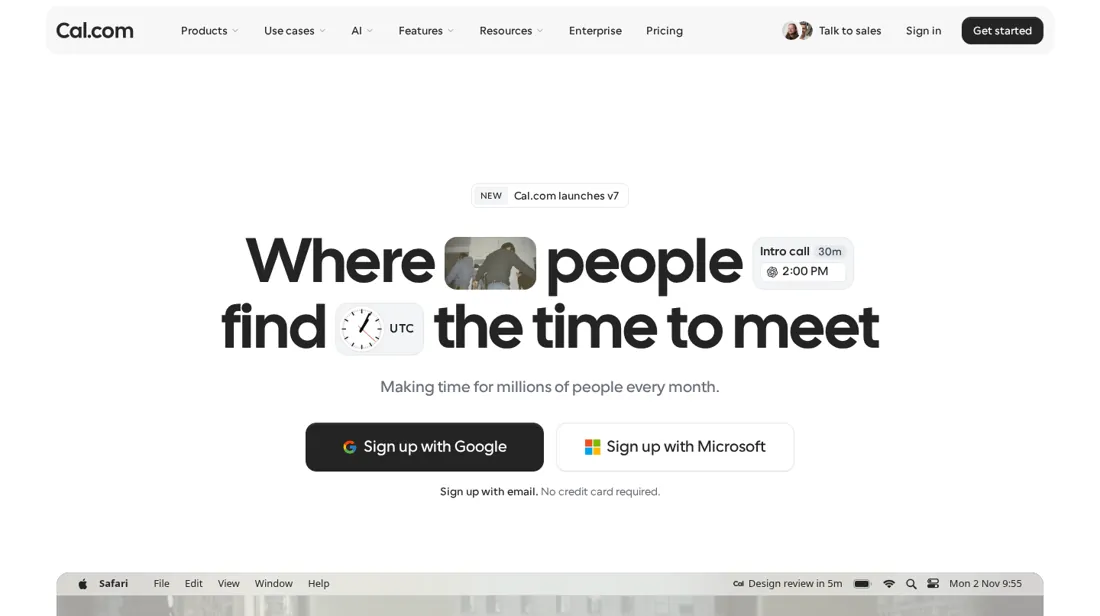
Team features such as round-robin, collective events, routing forms and removing the Cal.com branding need a paid plan.
- Best for Freelancers who share a booking link
From $12 · Teams (billed yearly) · per month, first paid plan per user on cal.com/pricing · read 2026-11-22
Try Cal.com free →Affiliate link: we may earn a commission if you sign up, at no extra cost to you. It never changes our verdict.
Is Cal.com right for you?
Your pain“Clients email back and forth to find a time, and every meeting starts with a thread of messages.”
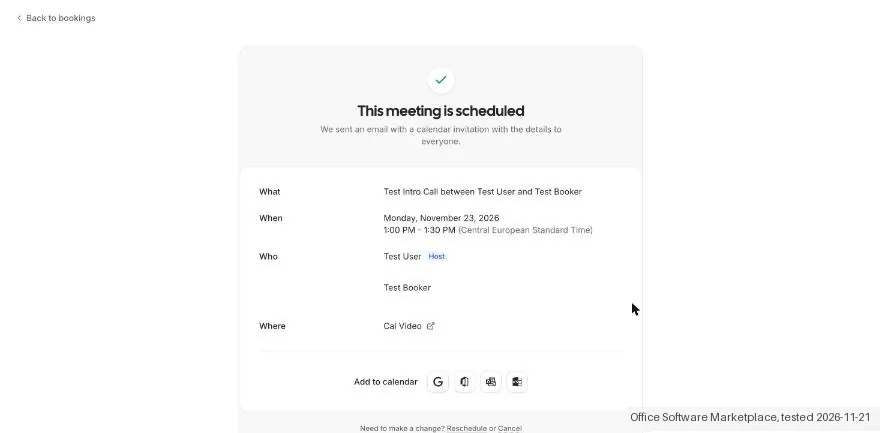
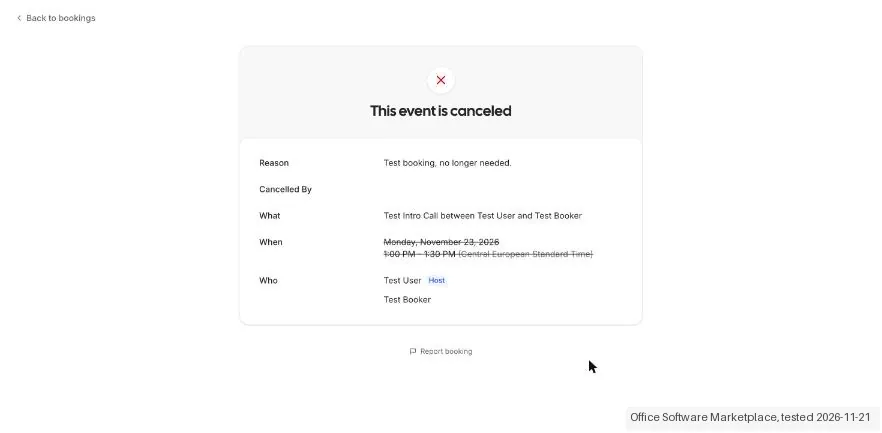
Does Cal.com solve it?YesOur test (21 Nov 2026): a 30 minute event type with Cal Video, one test booking and the confirmation email took about 3 minutes on the free plan. Cancelling took two clicks.
Your planIndividual is free; Team is $12 per user a month billed yearly ($16 monthly)
Your pain“Inbound leads wait for whoever is free, and nobody shares the meetings out fairly.”
Does Cal.com solve it?PartlyPricing page, read 22 Nov 2026: round-robin, collective events and routing forms start on Team. We did not create a team, so we cannot say how routing behaves.
Your planTeam, $12 per user a month billed yearly ($16 monthly)
Your pain“Clients forget sessions and I need text reminders, but I cannot tell what each message costs.”
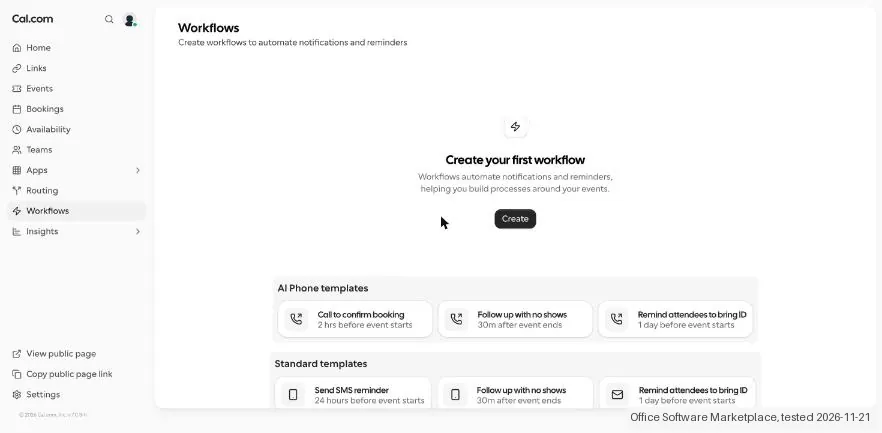
Does Cal.com solve it?PartlyOur test (21 Nov 2026): SMS reminder templates were on the free plan, but texts use credits worth 1 cent each and the price per text was not shown.
Your planFree plan plus prepaid credits, bought in packs of 50 credits
- you need calendar sync proven for your calendar before you commit, or you want text reminders at a known price per message.
The “Try” buttons are affiliate links: we may earn a commission if you sign up, at no extra cost to you, and it never changes our verdict.
Transparency: the “Visit” links on this page are affiliate links: we may earn a commission if you sign up, at no extra cost to you. No vendor can pay for a better review or verdict. How we make money →
Our AI assistant ran the test on 21 November 2026 in the Cal.com web app on the free Individual plan, with the interface switched to English. We went through onboarding, made a 30 minute event type with Cal Video, booked a slot on its public page as a visitor, read the confirmation email and then cancelled the booking. We also opened the plans screen, the workflows page and the Stripe app page and stopped before any payment. From the first onboarding screen to a confirmed booking took about 3 minutes.
How we tested
- Our AI assistant ran the test in the real Cal.com web app with the interface in English; nothing was paid
- The notes record screens, times and wording; eight screenshots were kept
- Onboarding: four screens (plan choice, booking link, calendar connection, video). We chose the free personal plan, skipped the calendar connection and kept Cal Video as the default. No card and no phone number were asked.
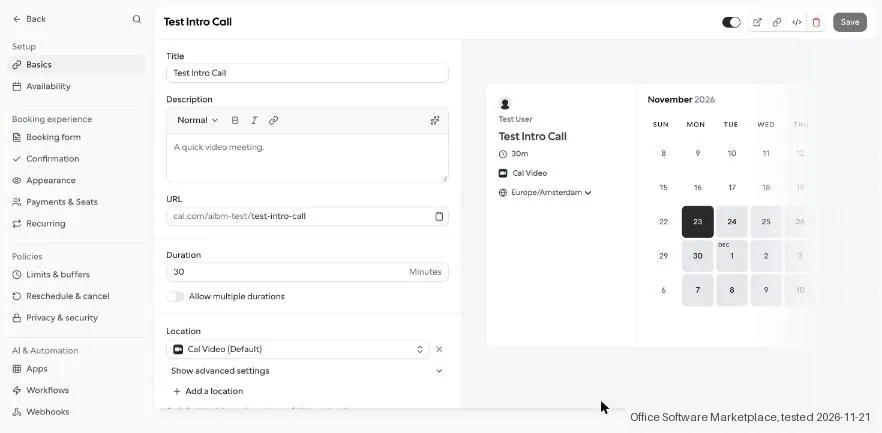
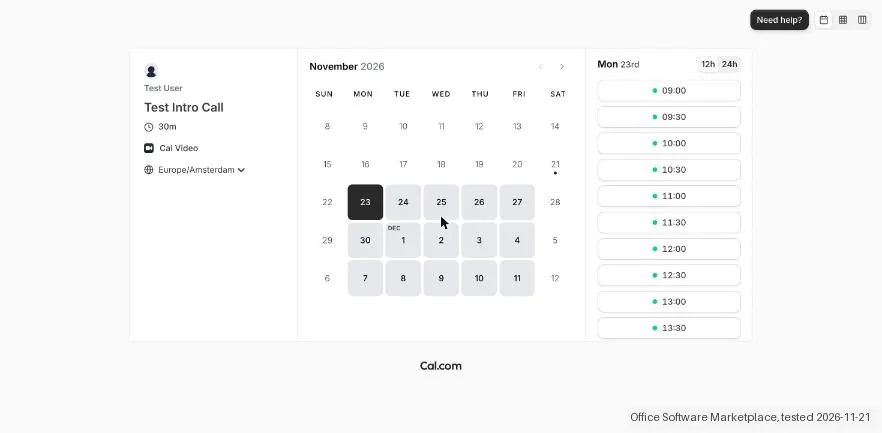
- Event type: a 30 minute event type with the default Cal Video location took three steps. Its public page showed open slots from 9:00 to 16:30 on weekdays without any availability setup.
- Booking: choosing a slot and confirming took about one minute. The confirmation page said "This meeting is scheduled" and the confirmation email reached the inbox within seconds. Cancelling took two clicks and an optional reason, and the cancellation email arrived about three seconds later.
Pricing (2026)
✓ Pricing re-verified 22 Nov 2026
| This tool | $12 | 4th cheapest of 5 |
| Cheapest | $8 | Miro |
| Median | $10 | |
| Most expensive | $15 | SmartSuite |
Lowest paid entry price per seat a month, billed annually, in USD, among the 5 work management tools we have researched (read between 2026-09-23 and 2026-11-22). Only tools priced in the same unit and on the same billing are compared. This is not a market survey, and cheapest is not best.
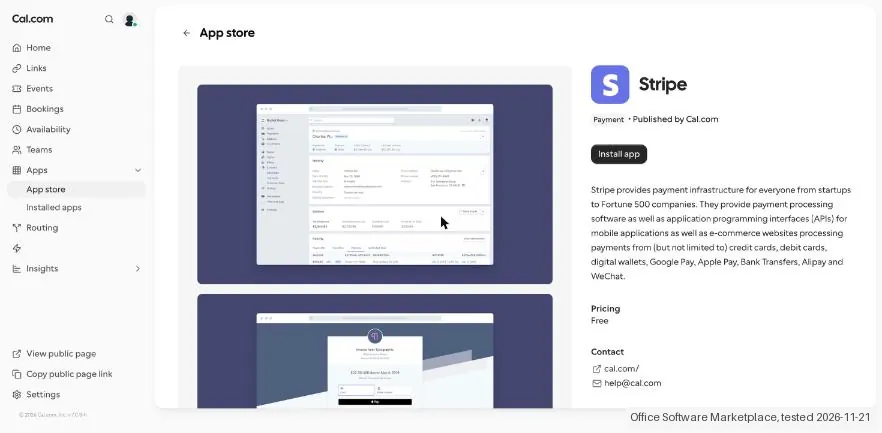
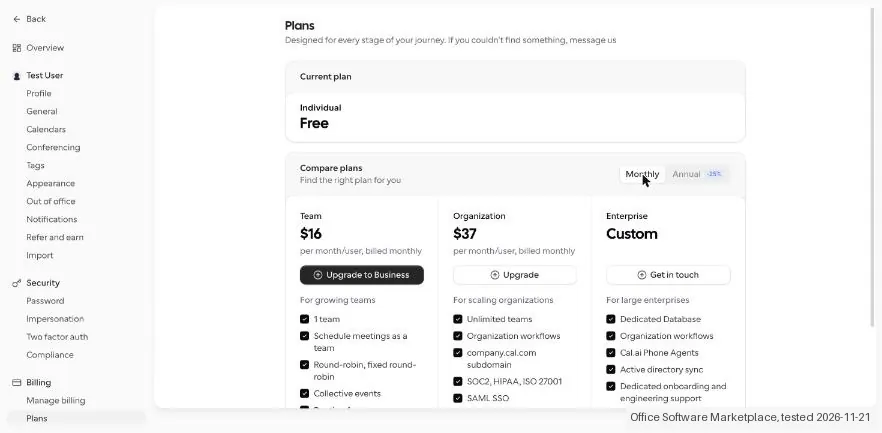
Individuals: free forever. Teams: $12 per user a month billed yearly (25% saving), $16 billed monthly. Organizations: $28 per user a month billed yearly, $37 billed monthly. Enterprise: custom pricing. SMS and AI calls are paid with prepaid credits, one credit is worth 1 cent (billing page, 21 November 2026); the price per text message is not shown. The Stripe app is free to install and Stripe charges its own fees. Plans change, so check the live price on their site before you buy.
Category context: Operations & Workflow. Across the 57 tools in this category that we researched with a public US-dollar price, the median entry price is $20 a month (lowest paid plan as listed, per seat where the vendor prices per seat). Cal.com’s entry price of $12 a month sits below that median. Compare pricing conditions in the Software Cost Atlas →
What the pricing page doesn’t say
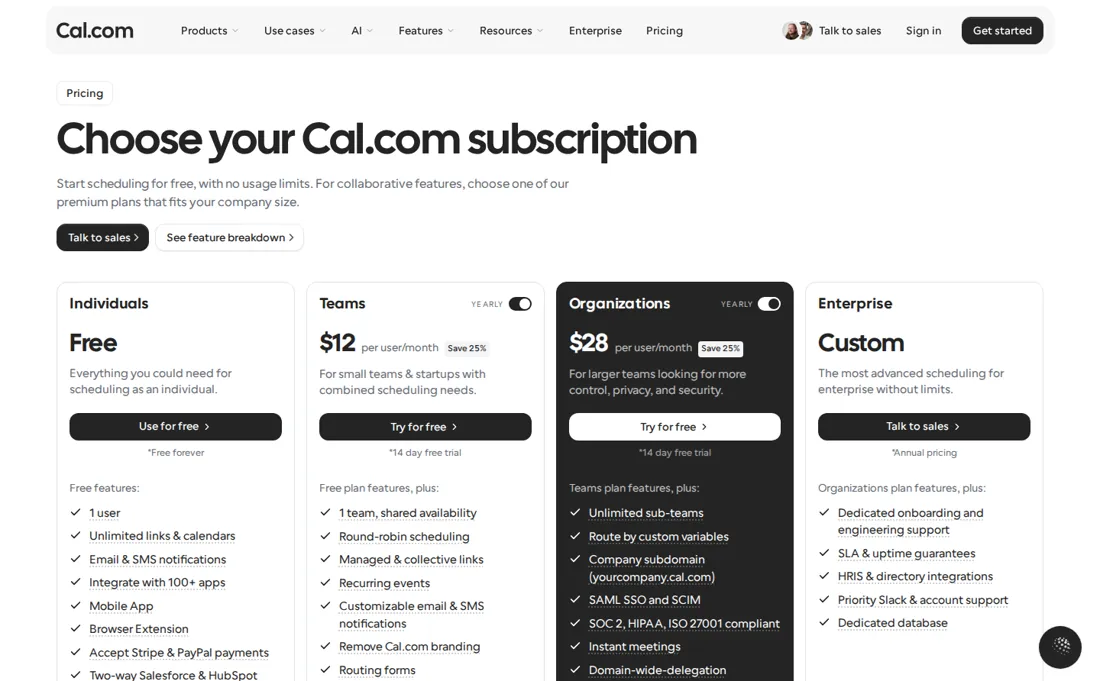
SMS reminders use prepaid credits and the price per text is not shown. In our test the app stayed in Dutch until we changed the language to another one and back, and the default links were created in Dutch. We did not test calendar sync.
What Cal.com does
Scheduling tool with shareable booking pages, Cal Video, workflows and Stripe payments on a free plan, with round-robin and routing for teams.
Free for one person; teams from $12 per user a month
The free plan is enough for one person: unlimited event types, Cal Video, workflows, the Stripe app and email confirmations. Team at $12 per user a month billed yearly ($16 monthly) adds round-robin and collective events, routing forms, team workflows, removing Cal.com branding and same day email and chat support. Organizations at $28 per user a month billed yearly ($37 monthly) adds unlimited teams, a company subdomain, SAML single sign-on, SOC 2, HIPAA and ISO 27001 compliance and attribute based routing.
Pay for Team when more than one person takes bookings from the same link. Text reminders are separate prepaid credits at 1 cent each.
What we found running Cal.com ourselves
The first findings are at the top of this page. The rest:
- Language: the app stayed in Dutch although the language setting already said English, and so did the default links it created. It switched only after we changed the language to another one and back.
- Free plan: Workflows with email and SMS reminder templates and the Stripe app were available without an upgrade prompt. SMS and AI calls are paid with credits, one credit is worth 1 cent, and the price per text message was not shown. Stripe charges its own fees.
- Plans: the plans screen listed Team at $16 and Organization at $37 per user a month on monthly billing ($12 and $28 billed yearly), and Enterprise on request. Upgrade to Business opened a Create a new team wizard rather than a payment screen, and we stopped there.
Screenshots from our test (click to enlarge)
What this test does not show:
- Not tested: calendar sync. We connected no calendar, so we cannot say how well it prevents double bookings.
- Not tested: a real Cal Video call, paid bookings through Stripe, SMS reminders and teams or round-robin events.
- Not tested: paying for a plan. We did not complete the team wizard that follows Upgrade to Business, so we have not seen a payment screen.
Most of our reviews are researched rather than run. How we review explains which is which, and why we do not pretend otherwise.
How to actually use Cal.com
Choose the personal plan on the first onboarding screen, claim a booking link, skip the calendar connection if you want to look around first and keep Cal Video as the meeting location. Then add an event type under Links and share its public page. Connect your real calendar before you share the link. We skipped it in our test, so the slots showed default weekday hours and we cannot say how well it blocks busy times.
If the interface opens in the wrong language, change the language in Settings, General to another one, save, and set it back.
Distilled from Cal.com's pricing page and homepage (cal.com/pricing, cal.com), read in a browser on 22 November 2026, and our hands-on test of 21 November 2026 on the free plan. Cal.com has an affiliate programme and we may earn a commission if you sign up through our link; it does not change what we write.
The natural comparison is Calendly: Calendly is the best known scheduling tool and is not in our research yet, so we do not compare prices. Cal.com gives one person unlimited event types and Cal Video on a free plan, and its pricing page offers a one click import of Calendly events. Teams start at $12 per user a month billed yearly.
Frequently asked questions
How much does Cal.com cost?
Cal.com lists Individual as free forever, Teams at $12 per user a month billed yearly ($16 billed monthly) and Organizations at $28 per user a month billed yearly ($37 monthly). Enterprise has custom pricing. Read on cal.com/pricing on 22 November 2026.
What does the free plan include?
Cal.com lists unlimited calendars and unlimited links, workflows, app integrations, Stripe payments, embeds and Cal Video. In our test the free plan covered an event type, a public booking page and email confirmations without an upgrade prompt.
How long does setup take?
About 3 minutes from the first onboarding screen to a confirmed test booking on 21 November 2026, plus about a minute for the language fix. We connected no calendar, so that step is not in the figure.
Do SMS reminders cost extra?
Yes. SMS and AI calls are paid with credits and the billing page said one credit is worth 1 cent. It did not show how many credits one text message takes, so check that before you rely on SMS reminders.
Which calendars and video apps does it connect to?
The onboarding screens and app store listed Google, Outlook, Apple, Zoho, CalDAV (beta), ICS feeds, Lark, Exchange and Vimcal for calendars, and Zoom, Google Meet, Microsoft Teams and others for video. We did not connect any of them.
Can I delete my account?
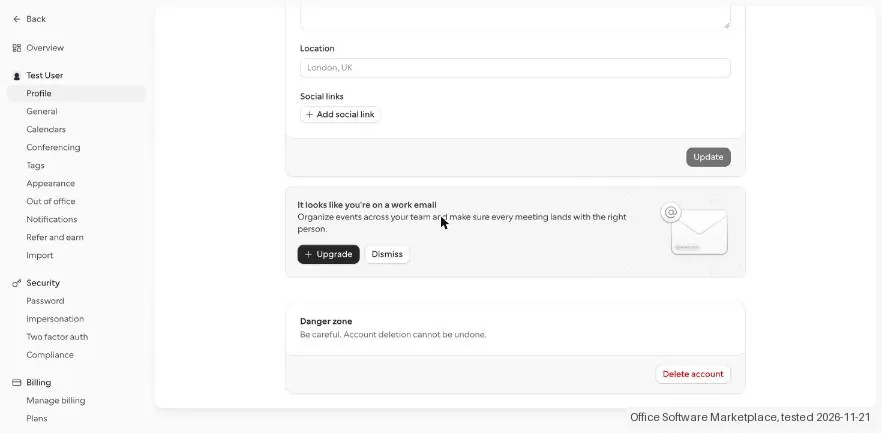
Yes. Settings, Profile, Danger zone has a Delete account button with the warning that it cannot be undone. We did not delete ours.
What do we not know?
How well calendar sync prevents double bookings, how team routing behaves, what an SMS reminder costs per message and what the payment step after Upgrade to Business looks like.
Is this a hands-on review of Cal.com?
Yes. We tested Cal.com ourselves on 21 November 2026; the section above says what we tested, what we found and what we did not test, and where a figure comes from the vendor's own documentation instead. Most of our reviews are researched rather than run; we say which is which. We name what each tool is good and bad at, and we earn a commission only if you sign up, at no cost to you.
- Read 2026-11-22 on cal.com/pricing, USD.
- A dated screenshot of that pricing page, kept on this site as the receipt.
- Our own hands-on session with Cal.com (21 November 2026), written up in full further down this page.
Bottom line
In one line: Scheduling with a free plan for one person; teams from $12 per user a month billed yearly.
Best for: freelancers who share a booking link.
The Try button is an affiliate link; we may earn a commission at no extra cost to you.
Others in this category
Reviewed operations & workflow tools that share ground with Cal.com. They are comparable in what they do, not drop-in swaps:
New reviews, price changes we recorded, and the cost conditions we found. No sponsored placements. Unsubscribe anytime.
This is our researched assessment, not a paid placement. The “Visit” links on this page are affiliate links: we may earn a commission if you sign up, at no extra cost to you, and it never changes our take. How we review →