UserHelp.co Review (2026)Website Feedback Widget, $59 One-Time
 By Daan Haket · Researched and written with an AI assistant · who does what
No refund rule, seat count, recording retention or length of one-time access is stated on the pricing page or in the terms, which date from April 2024. Basic is limited to one project and shows a watermark, and the card does not name its currency.
- Best for Freelancers building sites for small clients
- Not for buyers who need written limits before paying
From $59 · Pro · one-time payment, use on as many sites as you need, no watermark · read 2026-10-17
Try UserHelp.co free →Affiliate link: we may earn a commission if you sign up, at no extra cost to you. It never changes our verdict.
Is UserHelp.co right for you?
Your pain“Clients describe problems in emails, and I can't see what they are pointing at.”
Does UserHelp.co solve it?YesPricing page, read 17 Oct 2026: the free plan has unlimited responses and annotated screenshots sent from a button on the site.
Your planBasic, free for one project; the widget carries a UserHelp.co watermark
Try UserHelp.co →
Your pain“Our feedback widget stops at one project and puts someone else's watermark on client pages.”
Does UserHelp.co solve it?PartlyPricing page, read 17 Oct 2026: Pro works on as many sites as you like, with no watermark, error logs and session recordings.
Your planPro, $59 one-time; the page states no seat count or refund rule
Try UserHelp.co →
- Buyers who need written limits before paying. Pricing page and terms (April 2024), read 17 Oct 2026: none of those limits or a refund rule is stated. Better fit: BugHerd.
The “Try” buttons are affiliate links: we may earn a commission if you sign up, at no extra cost to you, and it never changes our verdict.
Also in: Software for agencies · Software for freelancers and solo businesses
Transparency: the “Visit” links on this page are affiliate links: we may earn a commission if you sign up, at no extra cost to you. No vendor can pay for a better review or verdict. How we make money →
Which UserHelp.co plan do you need?
2 plans, 3 questions, no signup.
Answer three quick questions to see your plan.
Your plan
Basic
Free forever
One project, unlimited responses, annotated screenshots, with a UserHelp.co watermark
Your plan
Pro
$59 one-time
Unlimited sites, no watermark, team collaboration, error logs, session recordings
Probably not UserHelp.co
From your answers, look at BugHerd instead. Why ↓
Prices as we read them on 2026-10-17; check the checkout before you pay. The plan button is an affiliate link: we may earn a commission, at no extra cost to you.
Pricing (2026)
✓ Pricing re-verified 17 Oct 2026
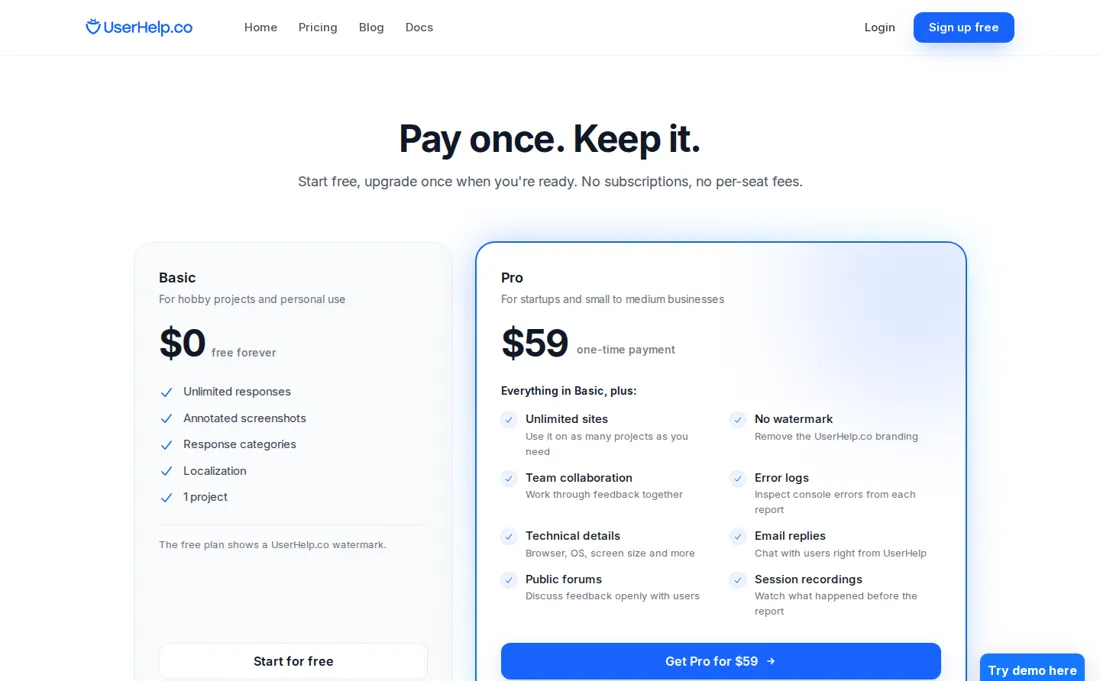
Two plans. Basic is free forever: unlimited responses, one project, categories, annotated screenshots and translation into several languages, with a UserHelp.co watermark. Pro is $59 one-time: use on as many sites as you need, no watermark, team collaboration, error-log inspection, the browser's technical details, email chat with users, public discussion forums and recording and replaying user sessions. The pricing page does not say how many team members Pro includes, how long session recordings are kept, or how long one-time access lasts, and neither it nor the terms of service (dated 4 April 2024) state a refund rule. Plans change, so check the live price on their site before you buy.
Category context: Operations & Workflow. Across the 53 tools in this category that we researched with a public US-dollar price, the median entry price is $25 a month (lowest paid plan as listed, per seat where the vendor prices per seat). Compare pricing conditions in the Software Cost Atlas →
UserHelp.co’s pricing page, as we read it
Watch the video review
The video version of this review, from our YouTube channel.
What UserHelp.co does
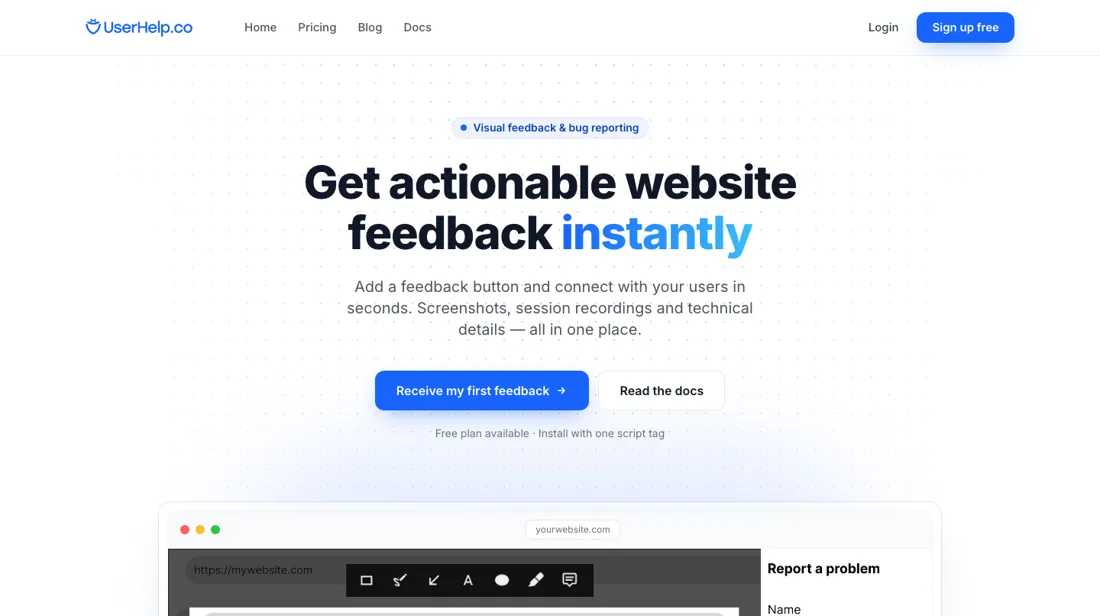
Visual feedback widget for websites: visitors send annotated screenshots and bug reports with browser details, and the paid plan adds session recording, error logs, team collaboration and user forums.
One payment, but few stated limits
Basic's real limit is one project, plus the watermark on the widget. If you run feedback on more than one site, or on client sites, Pro is the plan, and it also adds the things that help with bug reports: error logs, browser details and session recordings. At $59 once, Pro costs about what a single month of a subscription feedback tool costs; BugHerd's entry plan was $50 billed month to month when we read it.
What you do not get is a written answer on seats, recording retention, how long one-time access lasts, or refunds. A one-off price from a small vendor is also a bet that the product stays maintained, so try Basic on one site first.
How to actually use UserHelp.co
Start on Basic, which is free, on one site you control. UserHelp's documentation describes the setup: sign up with email or Google, create a project with New Project, adjust the feedback button in the Content tab, then open the Implementation card, copy the placement code and paste it into the head tag of your website. Send a few test reports yourself and check what arrives: the annotated screenshot, the technical details and where you get notified.
If you plan to use session recording on Pro, tell visitors in your privacy notice that sessions are recorded, and check what your consent banner needs. Pay the one-time $59 only once you know you need more than one project; the pricing page and terms do not describe a refund.
Distilled from UserHelp's own pages: userhelp.co/pricing, read in a browser on 17 October 2026; the terms of service (dated 4 April 2024) and the getting-started articles at docs.userhelp.co on creating a project, customising the button and adding it to a site, read on 15 October 2026. UserHelp.co is an affiliate partner of ours through Lemon Squeezy. We have not used UserHelp.co ourselves.
UserHelp.co vs BugHerd, side by side
Each column shows the vendor’s own published entry price, read on the date shown. Entry prices can cover different services or units, so check what each one buys. We do not average them into a score.
Both names above are affiliate links: we may earn a commission if you sign up, at no extra cost to you. Neither changes what this table says.
The natural comparison is BugHerd: BugHerd is in our dossiers too: point-and-click website feedback for agencies, with Standard at $42 a month billed yearly or $50 month to month for 5 members when we read it on 13 October 2026. UserHelp.co costs $59 once, but publishes far fewer limits and terms.
Not a fit for you?
UserHelp.co is not the pick for buyers who need written limits before paying. In that case, look at BugHerd, built for web agencies and site teams that want clients to point-and-click feedback directly on the page, and, new in 2026, want AI agents (Claude Code, Cursor and others) to read, triage and action that feedback via BugHerd's MCP server, free in beta.
BugHerd price: Standard about $42/mo (5 members); Studio ~$67/mo (10), Premium ~$125/mo (25); annual $500/yr, $800/yr, $1,500/yr (read 2026-10-13)
The Visit link is an affiliate link: we may earn a commission, at no extra cost to you. We picked this alternative for fit first; commission only decides between equal fits.
Frequently asked questions
How much does UserHelp.co cost?
Read 17 October 2026: Basic is free forever and Pro is $59 as a one-time payment. The card shows a $ sign without naming the currency.
Is there a free plan?
Yes. Basic is free forever with unlimited responses, but it is limited to one project and shows a UserHelp.co watermark.
Can I get a refund?
We found no refund rule on the pricing page or in the terms of service dated 4 April 2024. Ask UserHelp before you pay if that matters to you.
Does Pro work on several websites?
Yes. The Pro card says you can use it on as many sites as you need.
Is this a hands-on review of UserHelp.co?
This is a researched assessment, not a hands-on test. Where we've used a tool ourselves, we say so explicitly. We name what each tool is good and bad at, and we earn a commission only if you sign up, at no cost to you.
- Read 2026-10-17 in a browser on userhelp.co/pricing; the card shows a $ sign without naming the currency.
- A dated screenshot of that pricing page, kept on this site as the receipt.
Bottom line
In one line: Free for one project with a watermark; Pro is $59 once, with no stated refund rule.
Best for: freelancers building sites for small clients.
The Try button is an affiliate link; we may earn a commission at no extra cost to you.
Others in this category
Reviewed operations & workflow tools that share ground with UserHelp.co. They are comparable in what they do, not drop-in swaps:
New reviews, price changes we recorded, and the cost conditions we found. No sponsored placements. Unsubscribe anytime.
This is our researched assessment, not a paid placement. The “Visit” links on this page are affiliate links: we may earn a commission if you sign up, at no extra cost to you, and it never changes our take. How we review →