BillingNow Review (2026)$9.99/mo Flat, Three-Day Trial
 By Daan Haket · Researched and written with an AI assistant · who does what
The pricing is genuinely refreshing — two plans, same features on both, unlimited users, no per-seat maths.
freelancers and small teams that want unlimited invoicing, expenses and client management with zero per-user maths — users are unlimited on both plans, so a five-person team pays $2.00 a head.
you need accountant-grade features, payroll or deep integrations (the incumbents' ecosystems are bigger), or you have an existing client list to bring across — the help centre documents export but no import, so every client has to be retyped.
Transparency: the “Visit” links on this page are affiliate links — we may earn a commission if you sign up, at no extra cost to you. No vendor can pay for a better review or verdict. How we make money →
Pricing (2026)
✓ Pricing re-verified 9 Oct 2026
Two plans, both carrying the identical feature list with no limits: $9.99 a month, or $99.90 a year which the page itself works out to $8.33 a month and labels 'Save 17%'. Both include unlimited invoices, expenses, client relations, users, estimates and credit notes, plus payment tracking, tax rates, PDF export and the AI assistant. There are no per-user fees and no feature-gated tier.
The trial is 3 days and the page states three separate times that no credit card is required to start it. SOC 2 Type II certified with European-standard compliant invoices. Plans change — always verify the live price on their site.
What the pricing page doesn’t say
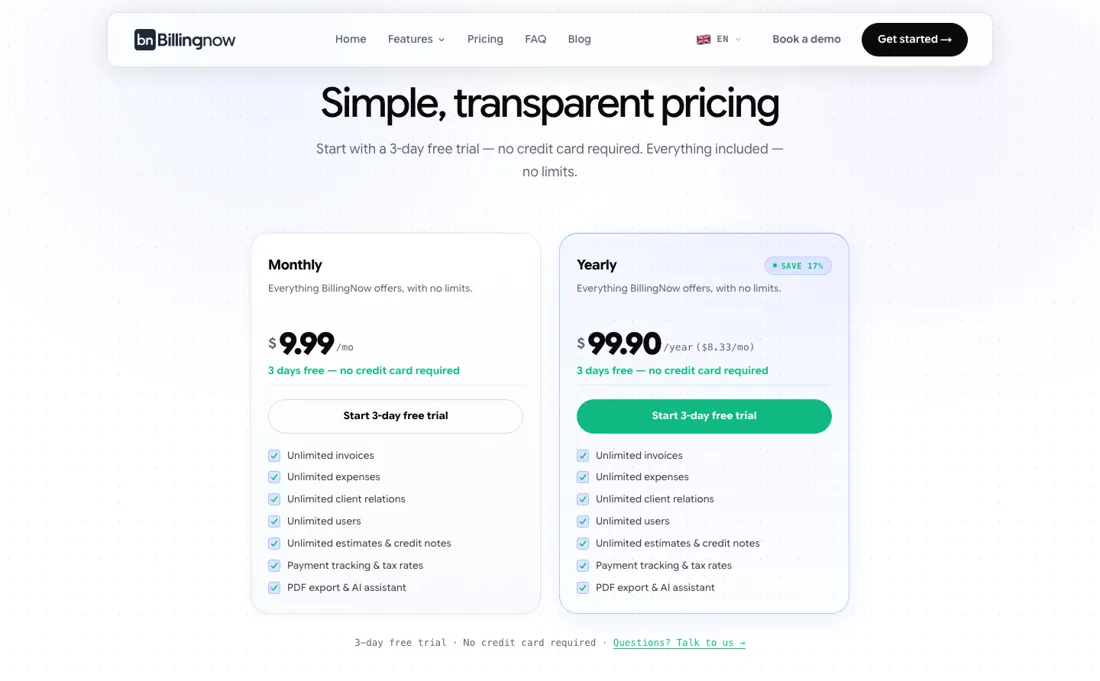
The honest watch-out is the trial length rather than its terms: three days is short for migrating billing into a new tool, and the practical constraint is that there is no import path. The help centre documents CSV and Excel export but no import, so an existing client list has to be retyped — which is more than three days of work for anyone with a real book. It is also a young product from a small Geneva maker, so weigh ecosystem depth and longevity before you move your billing history in.
Watch the video review
The video version of this review, from our YouTube channel.
⚡ Short on time? Watch the 30-second verdict Short.
What BillingNow does
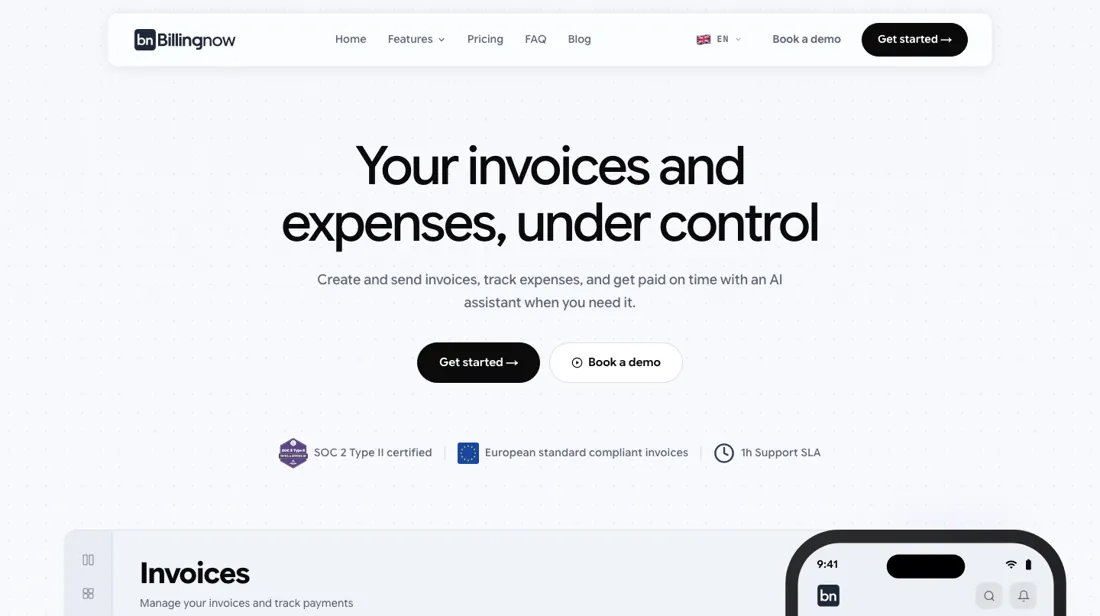
Invoicing and expense tracking with AI — unlimited invoices, expenses, clients and users on one flat plan, monthly or yearly, made in Geneva.
What buyers report about BillingNow
Hands-on: not tested by usReported by buyers: product reviews and documentation, read August 2026
Themes from the buyer-review sites listed at the foot of this page, read in August 2026. We have not run BillingNow ourselves, so this is other buyers' experience rather than ours. We summarise it here because the complaints are usually the part a vendor page leaves out.
- • In August 2026 reviewers described a free Lite plan and a cheap paid ladder with per-user extras, cheap enough for a freelancer to run without thinking about it; BillingNow has since moved to a single plan with unlimited users and a 3-day trial (see the price section).
- • Swiss QR-bill support and AI that records payments and builds reports conversationally.
- • The independent review base is thin, and what exists is broadly positive product coverage rather than buyer experience. Treat it accordingly.
- • Five invoices a month on the free tier is a trial rather than a working plan for anyone actually invoicing.
When the paid plan is worth it
There is only one product here and both plans carry the identical feature list, so this is not an upgrade decision — it is a billing-frequency one. Read on their own site on 20 August 2026: $9.99 a month, or $99.90 a year, which the page itself works out to $8.33 a month and labels a 17% saving. In cash that is a difference of $19.98 over a year. Small enough that if you have any doubt about staying, pay monthly; the annual discount is not large enough to be worth locking in a tool you are unsure about.
The number that actually matters is the one that is missing: there are no per-user fees, and users are unlimited on both plans. That is the whole argument for this product against conventional invoicing tools, and it compounds with team size. One person pays $9.99 a head; a five-person team pays $2.00 a head; a ten-person team pays $1.00. Unlimited invoices, expenses, client relations, estimates and credit notes sit on both plans too, so there is no volume ceiling to grow into either.
What to weigh instead of tiers is migration. The trial is three days, and the constraint is not the clock but the on-ramp: the help centre documents CSV and Excel EXPORT but no import, so an existing client list has to be retyped by hand. For a freelancer with a dozen clients that is an evening; for anyone with a real book it is more than three days of work, and it should happen before the trial starts rather than during it.
Bank accounts and tax rates also live in Organization Settings rather than in the signup wizard, so IBAN and tax-rate setup is a separate trip after onboarding finishes. One mismatch to check against your own needs before paying for a year: the homepage advertises Stripe-powered payment links, but the Payments article documents only manually recorded payments. If getting paid inside the tool rather than merely invoicing from it is the reason you are buying, confirm that specific flow works in the three days you have.
Questions we are still checking
Facts about BillingNow that would change a buying decision, and where we stand on each. An unanswered question does not mean the feature is missing; it means we have not confirmed it yet.
- Can a team user be limited to part of the account, for example expenses only or no access to reports? Still checking
Applies to: the single plan ($9.99 a month or $99.90 a year) with unlimited team users.
Why it matters: users are unlimited and free, but the help centre documents no roles or permission levels, which decides whether a bookkeeper or contractor can safely be added.
Checked: BillingNow pricing FAQ (2026-10-09); BillingNow help centre, Organization settings (2026-10-09)
Have a public source that answers one of these? How we review explains how we check and correct.
How to actually use BillingNow
You sign up with an email address and sign in either through Continue with Google or by clicking a magic link emailed to you with the subject Sign in to BillingNow; the docs say you never need a password. First login forces a two-step company wizard: step one takes organization name, tax ID, address, default currency and timezone; step two takes a logo (PNG or JPG, max 2MB), an invoice model, a primary colour and standard text before and after the line items.
Distilled from Everything above comes from BillingNow's own homepage and help-centre pages, each of which was opened and read for this write-up; we found no independent walkthrough worth citing. Re-read 9 October 2026: the refund and cancellation policy with its pricing FAQ (billingnow.com/refund-policy, policy last updated March 2026) and the help-centre pages Reporting and Organization settings (help.billingnow.com).
Common BillingNow setup mistakes
Where BillingNow setups actually go wrong, and what it costs you when they do. Same sources as the setup notes above — not from a walkthrough we ran ourselves.
The friction sits after that.
- Relations are created individually; the help centre documents CSV and Excel export but no import, so an existing client list must be retyped.
- Bank accounts and tax rates live in Organization Settings rather than in the wizard, so IBAN and tax-rate setup is a separate trip after the wizard finishes.
- Receipt scanning is not hands-off: you upload a PDF or image, click Analyze with AI, then review or edit the extracted fields.
- The homepage advertises Stripe-powered payment links, but the Payments article documents only manually recorded payments.
BillingNow vs FreshBooks, side by side
Each column shows the vendor’s own published entry price, read on the date shown. Entry prices can cover different services or units, so check what each one buys. We do not average them into a score.
The BillingNow link above is an affiliate link — we may earn a commission if you sign up, at no extra cost to you — and the other column is a plain link. Neither changes what this table says.
The natural comparison is FreshBooks — FreshBooks is the polished incumbent with tiered plans and client limits; BillingNow’s single flat unlimited plan undercuts it hard — you trade ecosystem depth for radical simplicity.
Frequently asked questions
Can I get a refund if BillingNow does not work out, especially on the yearly plan?
No. BillingNow's refund and cancellation policy (last updated March 2026, read 9 October 2026) says all sales are final and no subscription payment is refunded. You can cancel any time in account settings and keep paid access until the end of the current billing period, with no refund for the remaining time. The 3-day trial is the only no-cost test: the $99.90 yearly plan commits you for the year, the $9.99 monthly plan for a month.
What can I export if I leave?
The help centre's Reporting page (read 9 October 2026) documents an Export button with CSV and Excel (.xlsx) output for each report type, such as activity, sales, payments and tax, reflecting the filters on screen; individual invoices, estimates and credit notes export to PDF. A one-step export of the whole account, including clients and items, is not documented.
Can I limit what each team user sees?
Not confirmed. The pricing FAQ (read 9 October 2026) says team users are unlimited and included at no extra cost, but the help centre, including the Organization settings page (read 9 October 2026), documents no roles or permission levels. Ask BillingNow before giving a bookkeeper or contractor access.
Is this a hands-on review of BillingNow?
This is a researched assessment, not a hands-on test — where we've used a tool ourselves, we say so explicitly. We name what each tool is good and bad at, and we earn a commission only if you sign up, at no cost to you.
- Buyer reviews on product reviews and documentation, read August 2026.
- Re-verified 2026-10-09 on their own pricing FAQ and refund policy; first verified 2026-08-20.
- A dated screenshot of that pricing page, kept on this site as the receipt.
Others in this category
Reviewed finance & accounting tools that share ground with BillingNow — comparable in what they do, not drop-in swaps:
New reviews, price changes we recorded, and the cost conditions we found. No sponsored placements. Unsubscribe anytime.
This is our researched assessment — not a paid placement. The “Visit” links on this page are affiliate links: we may earn a commission if you sign up, at no extra cost to you, and it never changes our take. How we review →