eBillity Review (2026)Time Tracking From $8 per User
 By Daan Haket · Researched and written with an AI assistant · who does what
Workforce and Premium add a base fee on top of the per-user price, which weighs heavily on small teams.
service businesses, payroll-focused teams and law firms that want employee time tracking, client billing and payroll exports in one tool, priced per user with free payroll and accounting integrations.
you are a freelancer who wants a free plan, which eBillity does not offer; or your team size changes often, since annual seats are paid upfront and not refunded.
Transparency: the “Visit” links on this page are affiliate links — we may earn a commission if you sign up, at no extra cost to you. No vendor can pay for a better review or verdict. How we make money →
Pricing (2026)
✓ Pricing re-verified 15 Oct 2026
“Free 14-day trial, no credit card required!”Source: ebillity.com/pricing, read 15 Oct 2026
“You will be billed in advance, either monthly or annually, depending on the pricing option selected. This is non-refundable.”Source: ebillity.com/terms-of-service, read 15 Oct 2026
eBillity sells four plans per user, and the pricing page says annual billing saves 20%. Billed annually, Time Tracker Billing is $8 per user a month with no base fee, for simple time tracking and client billing. Time Tracker Workforce, for time, attendance and scheduling with GPS and PTO tracking, is $11.20 per user a month plus a $17.60 base fee. Time Tracker Premium, which adds project and expense tracking, billing and advanced reporting, is $16.80 per user a month plus a $24 base fee.
LawBillity, Premium plus legal billing such as trust accounting and LEDES, is $33.60 per user a month with no base fee. We did not confirm the month-to-month prices. The FAQ says an annual account is paid in full at activation; if you remove users, the seats stay open on your account until renewal, and users you add are charged a prorated amount for the remaining months.
The terms say fees are billed in advance and are non-refundable, with no refunds for upgrades, downgrades or unused months, and taxes are your responsibility. The page also offers CAD, EUR, GBP, PHP and AUD, which we did not read. There is a 14-day free trial with no credit card, and no free plan. Plans change — always verify the live price on their site.
The honest knock
Fees are paid in advance and are non-refundable, with no refunds for downgrades or unused months, and seats you remove from an annual plan stay paid until renewal. There is no free plan, and the help articles still describe older product names and plans.
What eBillity does
Time tracking and billing software for service businesses, payroll-focused teams and law firms: timesheets and timers, client invoicing, attendance and PTO, and free payroll and accounting integrations.
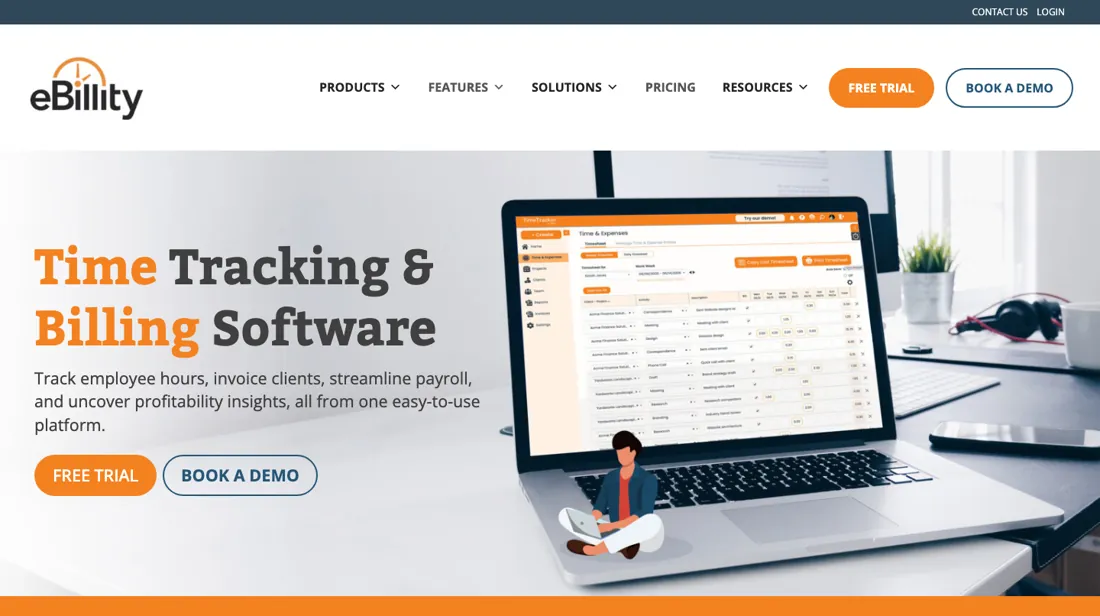
Two plans carry a base fee on top of the seats
Billing at $8 per user a month, billed annually, is the plain choice for a service business that tracks hours and invoices clients, and it has no base fee. Workforce and Premium add a fixed base fee on top of the per-user price, $17.60 and $24 in the annual view, so for a team of two or three the base fee is a large part of the bill; work out the total for your headcount before you compare it with a tool that charges per user only.
LawBillity at $33.60 per user is only worth it for law firms that need trust accounting and LEDES billing. The annual plan saves 20%, but it is paid upfront and non-refundable. If your team shrinks during the year, the seats stay paid until renewal. Start with the 14-day trial and a month-to-month plan if your headcount is likely to change, and move to annual once it is stable.
How to actually use eBillity
Start the 14-day trial; no credit card is needed, but you add payment details to keep the account after it ends. eBillity's getting-started guide sets things up in this order: under Admin > Settings > Timer Settings choose how billable time is rounded, set a default hourly rate for each billable activity, and set reminders and notification rules under Admin > Settings > Notifications. Then add your clients and assign projects and activities to them, and add your team under Admin > Manage Users > Add User.
Pick how people enter time, either weekly timesheets in blocks or running timers. The FAQ says the integrations with payroll, accounting and expense software are free, so connect your payroll or accounting tool during the trial and check that a week of hours flows through before you pay.
Distilled from eBillity's own pages: the pricing page ebillity.com/pricing with USD selected and the annual view, the homepage, the FAQ at ebillity.com/faqs, the terms of service at ebillity.com/terms-of-service (updated 18 March 2026), the getting-started guide at ebillity.com/getting-started and the help article on cancelling an account at support.ebillity.com, read on 15 October 2026. The cancellation article dates from 2017 and describes the Premium product. eBillity is an affiliate partner of ours through PartnerStack. We have not used eBillity ourselves.
eBillity vs Toggl, side by side
Each column shows the vendor’s own published entry price, read on the date shown. Entry prices can cover different services or units, so check what each one buys. We do not average them into a score.
Both names above are affiliate links: we may earn a commission if you sign up, at no extra cost to you. Neither changes what this table says.
The natural comparison is Toggl — Toggl is in our dossiers too and is the better-known time tracker for freelancers and agencies: when we read it on 1 October 2026 it had a free plan and Starter at $9 per user a month billed annually, or $12 monthly. eBillity has no free plan and starts slightly lower at $8 per user a month billed annually, but its strength is the link from hours to invoices, payroll and, with LawBillity, legal billing. For tracking time and project profitability, look at Toggl; for billing and payroll from timesheets, eBillity..
Frequently asked questions
How much does eBillity cost?
Read 15 October 2026, in USD per user a month billed annually: Time Tracker Billing $8, Time Tracker Workforce $11.20 plus a $17.60 base fee, Time Tracker Premium $16.80 plus a $24 base fee and LawBillity $33.60. The pricing page says annual billing saves 20%.
Is there a free trial or free plan?
There is a 14-day free trial with no credit card required. We found no current free plan; after the trial you add payment details to continue.
Can I get a refund?
As a rule, no. The eBillity terms bill every fee upfront, rule out refunds for upgrades, downgrades and unused months, and keep the rest of the current billing period payable if you end the account.
What happens if I remove users from an annual plan?
The FAQ says eBillity holds those seats open on your account until your renewal date; users you add are charged a prorated amount for the remaining months.
Is this a hands-on review of eBillity?
This is a researched assessment, not a hands-on test — where we've used a tool ourselves, we say so explicitly. We name what each tool is good and bad at, and we earn a commission only if you sign up, at no cost to you.
- Read 2026-10-15 on ebillity.com/pricing with USD selected, plus the FAQ and the terms of service updated 18 March 2026.
Others in this category
Reviewed finance & accounting tools that share ground with eBillity — comparable in what they do, not drop-in swaps:
Also in finance & accounting, for browsing rather than as an alternative:
New reviews, price changes we recorded, and the cost conditions we found. No sponsored placements. Unsubscribe anytime.
This is our researched assessment — not a paid placement. The “Visit” links on this page are affiliate links: we may earn a commission if you sign up, at no extra cost to you, and it never changes our take. How we review →