 Jane Review (2026)Priced Per Practitioner, With No Free Trial
Transparency: we earn nothing from Jane; the links to it are plain links. How we make money →
Work out your price from your practitioner count, not from the plan headline.
Pricing (2026)
✓ Pricing re-verified 1 Oct 2026
Three plans, billed monthly. Balance is $59 a month for a single practitioner profile and is capped at 20 appointments a month (counted as invoices, so a class with several attendees uses one per attendee invoice). Practice is $79 a month with one full-time practitioner included, unlimited appointments and staff profiles, free unlimited SMS reminders where SMS is available, and timesheets; each extra practitioner costs $35 a month full-time (24 or more booked hours a week) or $17.50 part-time.
Thrive is $99 a month with the same one practitioner included, adds rooms and equipment, availability tagging, in-person self check-in, an automated waitlist, return-visit reminders, packages and memberships, and ratings and reviews; extra practitioners cost $40 full-time or $20 part-time. Admin and support staff without bookable hours are free on every plan. Add-ons: AI Scribe $15 a month per opted-in practitioner for unlimited notes (5 free notes a month otherwise); Group Telehealth $15 a month per opted-in practitioner; Insurance Billing on Practice and Thrive at $20 a month plus $5 per additional full-time and $2.50 per part-time practitioner, applied to the whole account, with the Claim.MD clearinghouse account not included; Jane Websites $59 a month per clinic.
US card processing through Jane Payments is 2.85% + $0.25 online and 2.6% + $0.10 in person. There is no free trial; the vendor offers a demo, a shared demo account and a free data import and onboarding call. In the UK the same plans are listed at GBP 29, 44 and 55 a month. Plans change — always verify the live price on their site.
Category context: Operations & Workflow. Across the 50 tools in this category that we researched with a public US-dollar price, the median entry price is $25 a month (lowest paid plan as listed, per seat where the vendor prices per seat). Jane’s entry price of $59 a month sits above that median. Compare pricing conditions in the Software Cost Atlas →
What the pricing page doesn’t say
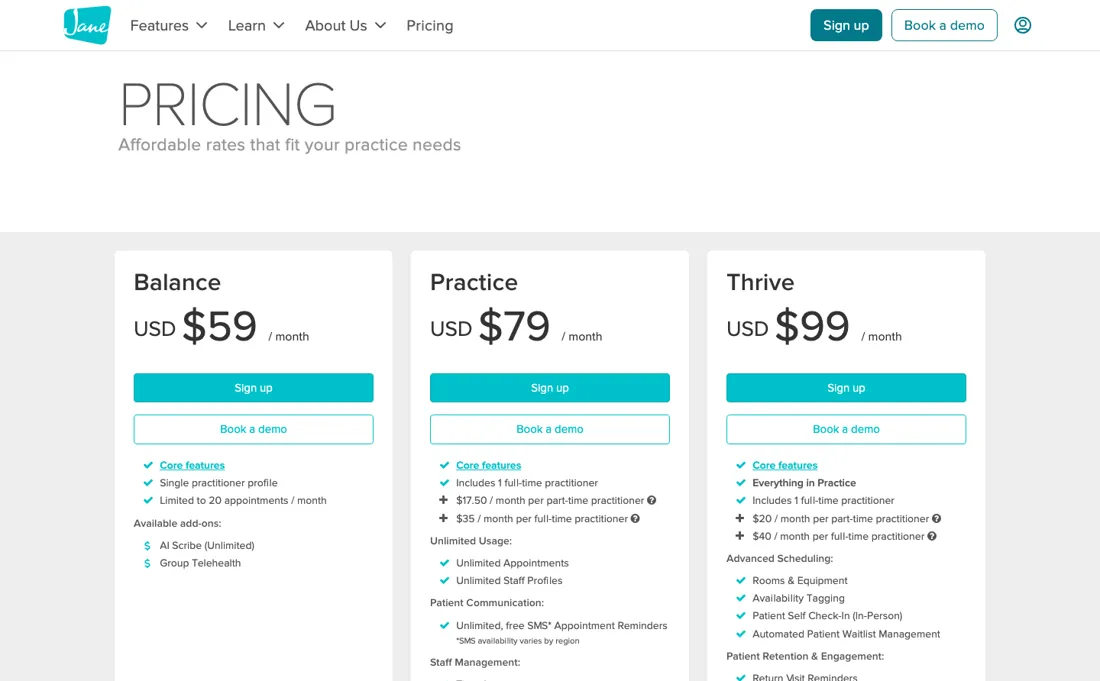
Practice at $79 covers one full-time practitioner; every other person who takes bookings adds $35 a month, or $17.50 if they book fewer than 24 hours a week. A clinic with three full-time practitioners pays $79 + 2 x $35 = $149 a month on Practice, and $99 + 2 x $40 = $179 on Thrive. Front-desk staff without bookable hours are free, which is generous, but a part-timer who creeps past 24 booked hours a week moves to the full-time rate.
The $59 Balance plan is for one practitioner seeing fewer than 20 clients a month. The limit counts invoices, so it is reached quickly, and it is also the plan Jane suggests you drop to if you leave and still need access to your records. Insurance billing is an account-wide add-on, not a per-person one: $20 a month plus $5 for every extra full-time practitioner, whether or not they bill insurance, and in the US you still need your own Claim.MD clearinghouse account.
There is no free trial: you get a demo call, or a shared demo account whose login the vendor hands out weekly through its community or support team. Check the region. Jane is a Canadian company and several things on its Canadian page, such as Jane Payroll and direct insurance billing with Canadian insurers, are not on the US page, while UK prices are much lower than US ones. We have not used Jane; this review is based on the vendor's pricing page and FAQ in three regions.
What Jane does
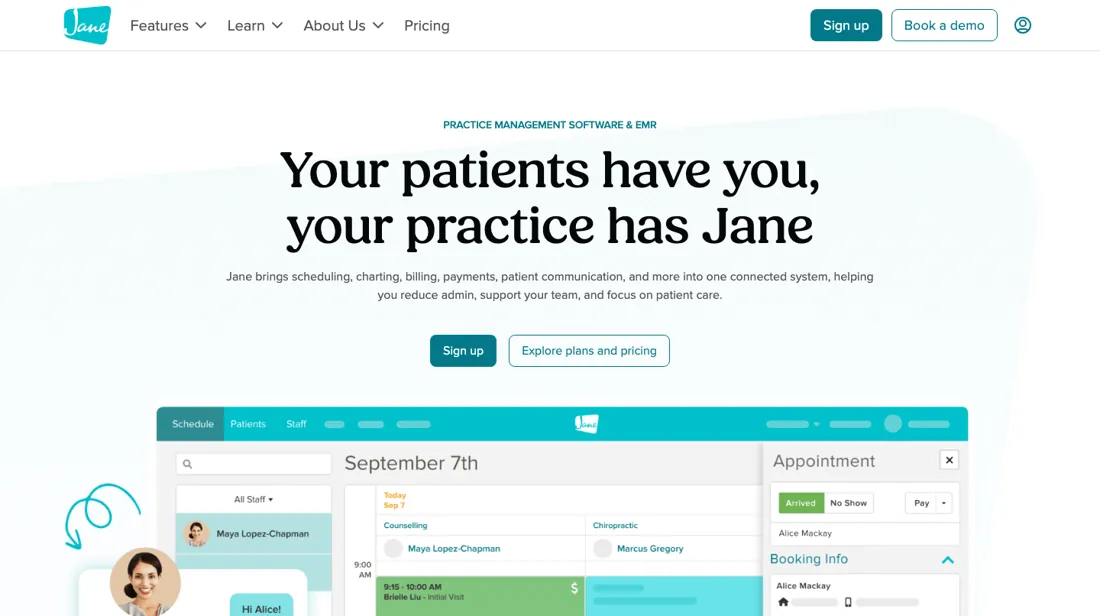
Practice management for allied health clinics such as physiotherapy, chiropractic, massage and counselling: online booking through a branded site, charting templates, intake forms, 1:1 and group telehealth, reminders, invoicing and integrated payments, with an AI scribe and insurance billing as add-ons.
Thrive pays off when your rooms or memberships are the bottleneck
Thrive costs $20 a month more than Practice for the included practitioner and $5 more for every extra full-timer ($40 instead of $35). For a three-practitioner clinic that is $179 instead of $149. What the money buys is scheduling and retention: rooms and equipment so two practitioners cannot book the same treatment room, availability tagging, in-person self check-in, an automated waitlist that fills cancelled slots, return-visit reminders, packages and memberships, and ratings and reviews.
If you sell treatment packages or memberships, or cancellations regularly leave gaps in a busy schedule, one filled appointment a month usually covers the difference. If each practitioner has their own room and clients pay per visit, stay on Practice.
How to actually use Jane
Book a demo or ask Jane's support team for the shared demo account first, because there is no free trial. Once you sign up, book the free data import straight away: the FAQ says imports are scheduled about 10 days ahead, and the support team walks you through getting the data out of your current system. If you are tied to another vendor's contract, Jane has a Contract Initiative application for clinics that want help getting out of it.
Set up practitioners carefully, because billing follows bookable profiles: give admin and front-desk staff profiles without bookable hours so they stay free, and mark practitioners as part-time if they book fewer than 24 hours a week. Then set up the custom-branded booking site, intake forms and charting templates (the template library has over 10,000), and switch on reminders. Try AI Scribe on the 5 free notes before adding it at $15 per practitioner.
If you need insurance billing in the US, open a Claim.MD clearinghouse account before adding the Insurance Billing add-on, as it is not included.
Distilled from Jane's pricing page and pricing FAQ, read on 1 October 2026 with the US, UK and default (Canadian) locales, plus the vendor's homepage, features and about pages. We have not used Jane.
The natural comparison is a booking app plus separate notes — Many solo practitioners start with a general booking app and keep notes and intake forms elsewhere. That works until clinical records, consent and payments live in three places. What Jane adds is that the charting templates, intake forms, outcome surveys, treatment plans, 1:1 telehealth and invoicing sit in one account with HIPAA, PIPEDA and GDPR compliance claimed by the vendor. For one practitioner under 20 appointments a month the $59 Balance plan covers that; above that the comparison is really Practice at $79 against whatever your current tools cost together, plus the time of keeping them in sync. We have not compared Jane hands-on with other practice-management systems..
Frequently asked questions
How much does Jane cost?
In the US, Balance is $59 a month for one practitioner and up to 20 appointments, Practice is $79 and Thrive is $99, each including one full-time practitioner. Extra practitioners cost $35 or $40 a month full-time and $17.50 or $20 part-time. Read on jane.app/pricing on 1 October 2026.
Does Jane have a free trial?
No. Jane offers a demo with its team and a shared demo account you can use for as long as you like; the login is handed out weekly through the Jane Community or support.
Do admin staff count towards the Jane price?
No. Profiles without bookable hours on the schedule, such as front-desk and support staff, are free. You pay only for practitioners who take bookings.
What should I weigh before buying Operations & Workflow software?
Usually it sits on top rather than replacing everything. Tools in this class tend to become the layer where work is tracked and handed off, while your existing systems stay the source of truth for their own data. Before you buy, map which tools it would replace outright and which it would merely sync with. If the answer is that it syncs with all of them, you are adding a layer rather than removing one.
Is this a hands-on review of Jane?
This is a researched assessment, not a hands-on test — where we've used a tool ourselves, we say so explicitly. We name what each tool is good and bad at, and we have no affiliate relationship with Jane — we earn nothing whether you sign up or not.
- Read 2026-10-01 on jane.app/pricing with the US locale; the same page shows CAD to Canadian visitors and much lower GBP prices to UK visitors.
- A dated screenshot of that pricing page, kept on this site as the receipt.
Others in this category
Reviewed operations & workflow tools that share ground with Jane — comparable in what they do, not drop-in swaps:
New reviews, price changes we recorded, and the cost conditions we found. No sponsored placements. Unsubscribe anytime.
This is our researched assessment — not a paid placement. How we review →