Rippling Review (2026)HR, IT and Finance, Priced by Quote
 By Daan Haket · Researched and written with an AI assistant · who does what
The published '$8 per employee a month' is real but it's only the floor, it comes with a monthly base fee ($40 on the small-business page), and it's the HR-and-payroll entry — not the price of the platform.
growing companies that want HR, IT and Finance on one employee record — so a single hire can trigger payroll, a provisioned laptop and app access at once, and offboarding claws it all back automatically.
you need only one function, like standalone payroll or device management, where a focused and transparently-priced point tool is cheaper and simpler — or you need firm pricing before committing to a sales conversation.
Transparency: the “Visit” links on this page are affiliate links — we may earn a commission if you sign up, at no extra cost to you. No vendor can pay for a better review or verdict. How we make money →
Pricing (2026)
✓ Pricing re-verified 16 Oct 2026
Rippling is modular and mostly quote-led. The pricing page is a custom-quote form: you tell it which of HR, IT and Finance you need and your headcount, and a price comes back through sales. What Rippling does publish is a floor. The FAQ on the pricing page says plans start at $8 per employee per month, with a monthly base fee, and that most products are priced per employee per month while some add a monthly base fee.
The small-business page names that base fee: 'Starting at $8 per user per month. Plus, a $40 per month base fee.' Whether the same $40 applies to every module and company size is not stated. That floor is an entry point, not a quote; the real bill is quote-based and depends on which modules you switch on and how many employees you run, and Rippling Payroll itself is quote-only.
Eligible US VC-backed startups can get 6 months of free access through Rippling's startup program, depending on funding status and stage. Decide the exact module mix you need before you compare vendors, because Rippling's cost scales with how much of it you adopt. Plans change — always verify the live price on their site.
Category context: HR & People. Across the 14 tools in this category that we researched with a public US-dollar price, the median entry price is about $32 a month (lowest paid plan as listed, per seat where the vendor prices per seat). Rippling’s entry price of $8 a month sits below that median. Compare pricing conditions in the Software Cost Atlas →
The honest knock
Rippling sells HR, IT and Finance as separate, separately-quoted modules, so you can't comparison-shop without a sales call, and a single-module deployment pays platform prices for a point tool. You're buying a system of record; the value only shows up once you consolidate several systems onto it.
Watch the video review
The video version of this review, from our YouTube channel.
What Rippling does
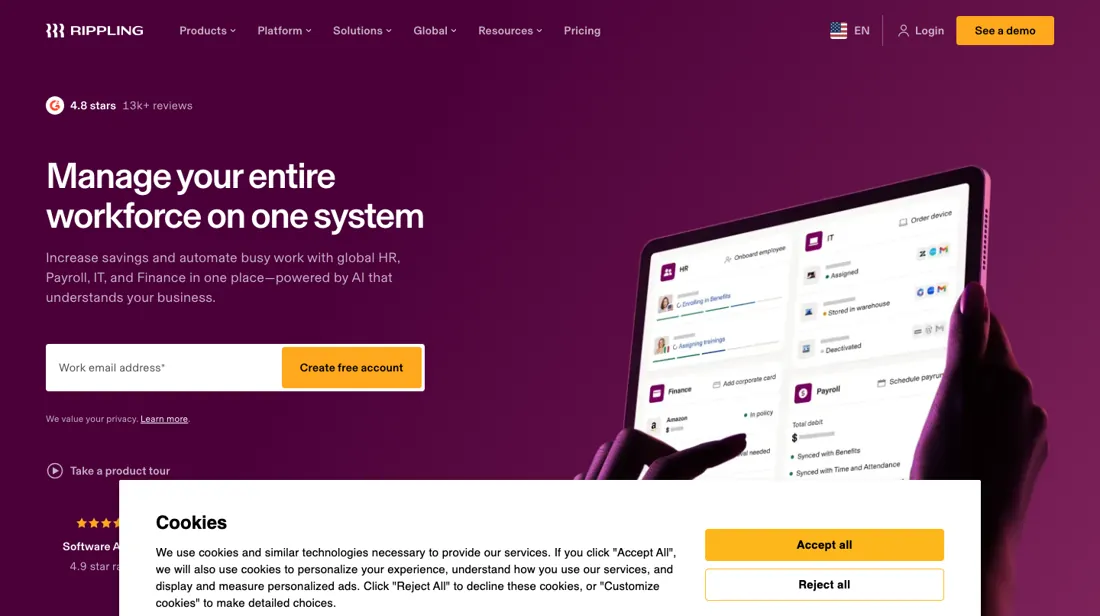
Workforce platform that unifies HR, IT and Finance in one system of record: run payroll and benefits, manage hiring, onboarding and time tracking, and provision devices and app access automatically — with policy-driven automation across employee data, approvals and compliance. Three additions the vendor announced during 2026, read on rippling.com on 22 September 2026 and not something we have tested: Helpdesk (announced 1 September), an agent that resolves routine IT requests — app access, password resets, device replacements — through deterministic, admin-approved steps across Rippling's own device, inventory and identity tools; AI Governance (announced 20 August), which breaks AI spend down by employee attribute and governs how staff connect LLMs to other tools; and Data Cloud, an AI-powered BI layer over the same employee record. Check availability before you buy the middle one: on Rippling's own AI Governance page only the AI Spend Console invites you to try it, while the AI Gateway and the discovery of unsanctioned AI use are waitlists and the MCP Gateway routes to sales.
What buyers report about Rippling
Hands-on: not tested by usReported by buyers: Capterra, read August 2026
Themes from the buyer-review sites listed at the foot of this page, read in August 2026. We have not run Rippling ourselves, so this is other buyers' experience rather than ours. We summarise it here because the complaints are usually the part a vendor page leaves out.
- • Onboarding and offboarding is where reviewers say the platform earns its keep: one employee record drives account provisioning and device setup, and admins describe most of the manual work disappearing.
- • Payroll is described as accurate and low-effort — automated tax, salary and deduction calculations with direct deposits, and fewer corrections than in the systems people moved from.
- • The consolidation itself: HR, IT, benefits and payroll behind one interface instead of several systems, with a UI reviewers call clean and well-structured next to legacy HR software.
- • Fast turnaround on simple support tickets, including a login problem resolved inside two hours.
- • New administrators hit a steep setup curve: straightforward tasks sit several menus deep, and customisation is reached by trial and error.
- • Pricing is called opaque — module costs are hard to work out until you are talking to sales, which matches what the pricing page itself shows.
- • Slowness on large data sets, plus minor bugs.
- • Limited room for personalisation; some changes have to go through a manager rather than the employee.
- • Support on complex problems is slower and harder to reach than on simple ones, with limited visibility into product changes.
- • A franchise operator reports the platform could not properly accommodate multi-location labour allocation, despite what they were told before buying.
What the money actually buys
There is no plan ladder here, only a module ladder. HR, IT and Finance are sold and quoted separately, and the advertised 'Starting at $8 per month per user' is the floor for the HR-and-payroll entry, not the price of the whole platform. What you pay more for is breadth — switching on device and app management, corporate cards and spend, global payroll — rather than a richer tier of one product.
The honest frame is that Rippling's value is the shared data model, not any single app. Because HR, IT and Finance sit on one employee record, hiring someone can enrol them in payroll, ship and configure a laptop and grant the right app access in a single action, and offboarding reverses all of it — that cross-department automation, built with role-based policies, Workflow Studio and App Studio, is the thing you are actually buying.
Run one module and you pay platform prices for a point tool; run several and the automation starts to earn its keep. So the real upgrade question is never 'which tier' but 'how many of my systems am I willing to move onto Rippling' — the more you consolidate, the better the maths, and the harder it becomes to leave.
How to actually use Rippling
Rippling's whole pitch is that one action fans out across departments, and onboarding is where you see it. A new hire is the meeting point of HR, IT and Finance: from a single employee record Rippling can enrol the person in payroll and benefits, trigger a laptop to be shipped and provisioned, and grant the app access their role calls for — the platform markets onboarding, running payroll and issuing devices and corporate cards as one flow, without switching systems.
The mechanism underneath is role-based policies: you group people by attributes like level and location, and Rippling applies the matching policies, approvals and app assignments automatically, so the hundredth hire in a role is set up like the first. The same wiring runs in reverse at offboarding, reclaiming access and hardware. What you won't find is a self-serve trial to test any of this yourself — every route ends at 'Get a free quote' or 'Contact Sales', so your first real hands-on is a sales-led demo rather than a sign-up.
Distilled from Rippling platform and global-payroll product pages (rippling.com/platform and rippling.com/global-payroll), read 27 August 2026 — covering the onboarding flow, role-based policies and the shared-platform automation. Prices re-read 16 October 2026 on rippling.com/pricing (FAQ: plans start at $8 per employee per month with a monthly base fee; startup program) and rippling.com/solutions/small-businesses ('Starting at $8 per user per month', 'Plus, a $40 per month base fee').
Rippling vs Gusto, side by side
Each column shows the vendor’s own published entry price, read on the date shown. Entry prices can cover different services or units, so check what each one buys. We do not average them into a score.
Both names above are affiliate links: we may earn a commission if you sign up, at no extra cost to you. Neither changes what this table says.
The natural comparison is Gusto — Gusto is the simple, transparently-priced US payroll-and-HR incumbent for domestic teams; Rippling is the broader system of record that also runs IT and Finance and scales internationally. Choose Gusto for straightforward payroll, Rippling to consolidate systems onto one record.
Frequently asked questions
What does Rippling cost?
There's a published floor: plans start at $8 per employee per month plus a monthly base fee, which the small-business page puts at $40 a month (read 16 October 2026). That is the HR-and-payroll entry; the full HR/IT/Finance platform is quote-led. The pricing page is a custom-quote form and each module is priced separately by headcount and mix, so budget for a sales conversation rather than a checkout.
Does Rippling publish its pricing?
Only in part. The pricing page is a custom-quote form whose FAQ gives a floor of $8 per employee per month plus a monthly base fee; the small-business page names that fee at $40 a month, while other product pages show nothing, and the price of a multi-module deployment only firms up through sales.
Is Rippling just payroll software?
No. Payroll and HR are the entry point, but Rippling is a workforce platform that also covers IT — device and app management — and Finance, meaning corporate cards and spend, all on one employee record. That unification, not payroll alone, is the reason to pick it.
How is Rippling different from a standalone HR tool?
The shared data model. Because HR, IT and Finance sit on the same record, one hire can run payroll, ship and provision a laptop and grant app access at once, and offboarding undoes all of it — automation a single-purpose app can't match. It only pays off if you actually move several systems onto it.
Rippling now sells AI governance and an IT helpdesk — can I use those today?
Partly, and the difference matters. Read on rippling.com on 22 September 2026: Helpdesk, which Rippling announced on 1 September 2026, is a shipped product with its own page — an agent that resolves routine requests like app access, password resets and device replacements through deterministic, admin-approved steps, working across Rippling's own device, inventory and identity tools rather than through integrations. AI Governance, announced 20 August 2026, is not one product but five pieces at different stages, and only the page itself tells you which is which. The AI Spend Console — connect Anthropic, OpenAI and Cursor, then break token spend down by team or department — is the one marked “Try the product”. The AI Gateway that would route employee LLM traffic through Rippling to attribute costs and apply spend limits, and the discovery feature that would surface unsanctioned AI use, both read “Join the waitlist”; the MCP Gateway and agent-identity management read “Talk to sales”. So if AI governance is the reason you are looking at Rippling, ask in the demo which of those five are generally available on your contract date, because on the vendor's own page most of that story is still roadmap. We have not tested any of it.
Is this a hands-on review of Rippling?
This is a researched assessment, not a hands-on test — where we've used a tool ourselves, we say so explicitly. We name what each tool is good and bad at, and we earn a commission only if you sign up, at no cost to you.
- Buyer reviews on Capterra, read August 2026.
- Re-verified 2026-10-16.
Others in this category
Reviewed hr & people tools that share ground with Rippling — comparable in what they do, not drop-in swaps:
New reviews, price changes we recorded, and the cost conditions we found. No sponsored placements. Unsubscribe anytime.
This is our researched assessment — not a paid placement. The “Visit” links on this page are affiliate links: we may earn a commission if you sign up, at no extra cost to you, and it never changes our take. How we review →