 Jibble Review (2026)Free Forever, Unlimited Users
Transparency: the “Visit” links on this page are affiliate links — we may earn a commission if you sign up, at no extra cost to you. No vendor can pay for a better review or verdict. How we make money →
Free forever with unlimited users holds up: the plan a new account lands on is Free, €0, with no card.
We did not stop at the marketing. On 25 September 2026 we opened a free Jibble account (organisation 'AIBM hands-on test', web browser only), clocked in and out, invited a second user, exported a timesheet and opened the upgrade screen without buying anything. Nothing was agreed with Jibble about this test. Everything below is what the product did and showed, not what the site says.
- The account lands on Free at €0, marked as the selected plan, with a 14-day trial of the paid features running alongside it. During those two weeks nothing is locked, so what you see in week one is more than Free keeps.
- The price table exists, just not on the public site. The upgrade button opens four plans with annual and monthly prices (euros, excluding VAT, as shown from the Netherlands): Free €0; Essentieel €1.79 or €2.99; Groei €3.79 or €4.99; Pro €6.79 or €9.29 per user a month. No demo form and no sales call in between.
- Jibble's own plan comparison, one click further, answers what Free excludes: no timesheet approval workflow, no automatic break deductions or custom pay periods, no smart reminders, alerts or automatic clock-out, no groups, one admin, two locations, one work schedule and one kiosk, and no attendance report, leave workflow or leave balances. Free keeps overtime calculations, face recognition, selfie, PIN and NFC clock-ins, GPS-verified clock-ins and geofences, timesheet and report exports, and the Slack, Microsoft Teams, QuickBooks Online, Xero, Deel and Zapier integrations.
Visit Jibble → Affiliate link — we may earn a commission if you sign up; it does not change what this page says.
Watch the 2-minute review
The video version of this review, from our YouTube channel.
⚡ Short on time? Watch the 30-second verdict Short.
Pricing (2026)
✓ Pricing re-verified 25 Sep 2026
Jibble still publishes no prices on its public site — jibble.io/pricing, /plans and /upgrade-plans land on the homepage — but the account carries a full price table behind its upgrade button. Four plans, per user per month: Free, €0, 'forever', for unlimited members; Essentieel €1.79 billed annually or €2.99 monthly; Groei €3.79 annually or €4.99 monthly; Pro €6.79 annually or €9.29 monthly (plan names as our Dutch-language account shows them).
Monthly billing costs 32% to 67% more than annual. A new organisation starts on Free with a 14-day trial of the paid features. We saw euros; a visitor elsewhere may be shown another currency. Earlier history: on 30 August 2026 the public pricing page had been retired, and on 2 September 2026 Jibble's partnerships team confirmed to us in writing that there is no external pricing page.
Jibble states an average of 4.8 out of 5 across major review platforms and app stores on more than 20,000 verified reviews. Plans change — always verify the live price on their site.
Category context: HR & People. Across the 13 tools in this category that we researched with a public US-dollar price, the median entry price is $14 a month (lowest paid plan as listed, per seat where the vendor prices per seat). Compare pricing conditions in the Software Cost Atlas →
Correction after re-checking: Re-checked 30 August 2026 against jibble.io. We wrote that paid tiers exist above the free plan but their prices render in the browser and were not visible in the page we could read. That is no longer the right description: there is no pricing page at all. jibble.io/pricing returns a 301 to /upgrade-plans, which returns a 301 to the homepage; /plans redirects to the homepage too, and the help centre's pricing-and-plans article is gone with them. The enterprise page names no figure and offers only a demo booking. The free-forever claim with unlimited users is unchanged and now sits on the homepage alone. The savings calculator we criticised is still there, but it publishes its assumptions: 40 hours a week, 48 working weeks a year, and 5.5% payroll leakage.
The honest knock
What free leaves out is now readable too, because Jibble's own plan comparison sits inside the app even though the public pricing page is gone. The biggest gaps for a payroll process are timesheet approvals, automatic break deductions and more than one admin; our hands-on test below lists everything Free leaves out and keeps. Two things to know before you build a process on it. A new organisation starts with a 14-day trial of the paid features, so for the first two weeks nothing looks locked; the limits above only show from day 15.
Set up your workflow on what Free keeps, not on what week one showed you. And the paid tiers are cheap per head but add up: timesheet approvals and groups start at €1.79 per user a month on annual billing, €2.99 if you pay monthly, so a team of 25 pays €537 a year for the step most payroll processes need first.
What Jibble does
Time and attendance tracking with facial recognition, GPS and payroll-ready timesheets.
What buyers report about Jibble
Recurring themes from the buyer-review sites listed at the foot of this page, read in August 2026. We use Jibble ourselves, but a single account is a narrow sample, so here is what other buyers report. We summarise it here because the complaints are usually the part a vendor page leaves out.
- • An aggressively generous free tier: facial recognition, GPS, kiosk mode, automated timesheets and overtime rules free for unlimited users. Nothing else in the category does that.
- • Around 4.5 average across the review sites as of early 2026.
- • Syncing across devices is the most common complaint on the directories, and Trustpilot adds bugs appearing after you edit a time entry, plus desktop app problems.
- • Facial recognition is slow and unreliable in poor light or after an appearance change — and staff find it intrusive.
- • Battery drain, particularly on Android.
- • Reviewers refer to paid Premium and Ultimate tiers above the free plan, billed per user — tiers Jibble no longer prices anywhere on its own site.
Pages read (August 2026): Trustpilot
What the free plan really covers
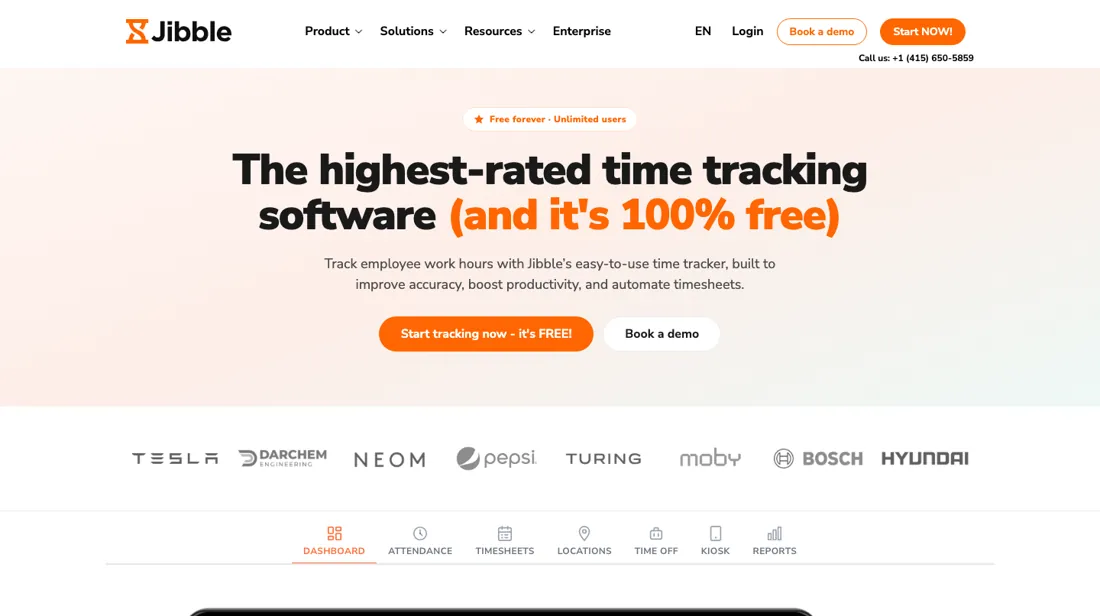
Jibble's homepage claims a free forever plan with unlimited users, '100% free' and no credit card. In a category where per-seat billing is the norm that is unusual, and it makes the first question different from every other tool here: not which tier, but whether you need a tier at all. On 25 September 2026 we opened an account and found the prices the public site no longer shows. The upgrade button inside the app opens four plans, per user per month and excluding VAT: Free €0, Essentieel €1.79 on annual billing (€2.99 monthly), Groei €3.79 (€4.99), Pro €6.79 (€9.29).
Jibble's partnerships team had told us on 2 September that there is no external pricing page, and that is still true; the table simply lives behind the login. First, what the free tier excludes, now from Jibble's own comparison rather than a guess: no timesheet approval workflow, no automatic break deductions or custom pay periods, no smart reminders, alerts or automatic clock-out, no groups, one admin, two locations, one work schedule and one kiosk, and no attendance report, leave workflow or leave balances.
That puts the usual boundary exactly where you would expect it — approvals and team structure — while payroll export, overtime and the integrations stay free. A free plan that can export to your payroll system does remove work rather than move it; one that cannot approve a timesheet leaves that step with you. Second, note what stands where a price table would. An impact calculator projects your annual savings — for 100 people at $25 an hour it prints $270,400 — on three assumptions it publishes in small type: 40 hours a week, 48 working weeks, and 5.5% payroll leakage.
That last figure is theirs, not measured in your business. One thing that is a legal question rather than a pricing one: if you plan to use facial recognition for clock-ins, check your local rules on biometric data before you roll it out. That constraint does not appear on any tier.
What we found running Jibble ourselves
The first findings are at the top of this page. The rest:
- Setting up the organisation requires a phone number; the form will not continue without one. The marketing opt-in on the sign-up form is ticked by default.
- Clocking out in the same minute you clocked in is refused, with a message saying you cannot clock out before clocking in. Jibble records whole minutes; two minutes later it worked.
- Inviting a second member took a name and an email address and went through without any prompt to pay. The member shows as pending until they accept.
- The weekly timesheet export offers XLS or CSV. Our CSV arrived within seconds and carries 32 columns per member per day, including worked hours, paid and unpaid breaks, deductions, payroll hours, daily and weekly overtime and billable amounts.
- We did not switch on face recognition or GPS. The comparison puts both in Free; anti-spoofing, device lock and live location tracking are Pro only.
Most of our reviews are researched rather than run — how we review explains which is which, and why we do not pretend otherwise.
How to actually use Jibble
Start on the free plan, because free forever with unlimited users is a real claim and an unusual one in a category where per-seat pricing is the norm. For a team on a tight budget that alone makes it worth an afternoon. Establish what the free tier excludes before you build a process on it. 'Unlimited users' and 'unlimited features' are different promises, and the paid tiers exist for a reason — ask which reports, approvals, integrations or policy controls sit above the line.
The answer is inside the app: the upgrade button opens Jibble's own plan comparison, one click further down. Read it before day 15, because a new organisation runs a 14-day trial of the paid features and nothing looks locked until that ends. Setting up the organisation also asks for a phone number, and the marketing opt-in on the sign-up form is ticked by default. Ignore the impact calculator and build your own number.
It now sits on the homepage where a price table used to be, and its output rests on three assumptions printed underneath it: 40 hours a week, 48 working weeks a year, and 5.5% payroll leakage. Your own baseline is simple enough: how many hours a month does someone spend chasing and correcting timesheets today, and how many hours end up disputed? That is what a paid tier would have to beat.
Distilled from Jibble's own site, read 30 August 2026 — the homepage (jibble.io) for the free-forever claim, the feature list and the impact calculator with its published assumptions, plus the HTTP status of jibble.io/pricing, /upgrade-plans and /plans, each requested without following redirects to establish that no pricing page remains. Re-read 19 September 2026: the homepage, its FAQ block, the savings calculator on its default settings, and the same three retired pricing URLs, which still resolve to the homepage.
The natural comparison is Clockify or Toggl Track — the direct time-tracking peers — both have free tiers too, so compare on what each free plan excludes rather than on the headline.
Frequently asked questions
What exactly is in the free plan?
Now there is a table rather than a slogan. The FAQ on jibble.io promises the software free for unlimited users, and inside the app, read 25 September 2026 in a new account, Jibble's own plan comparison draws the line. The short version: exports, overtime, biometric and GPS clock-ins and all the integrations are free; approvals and team structure are not. No timesheet approval workflow, no groups, one admin, two locations and one work schedule on Free. So you can run payroll from the free tier, but nobody signs a timesheet off inside Jibble unless you pay €1.79 per user a month on annual billing. One caution for testing it: a new organisation starts with a 14-day trial of the paid features, so run your trial pay cycle after day 14, on what Free actually keeps.
Can I use the face recognition and GPS tracking anywhere?
Technically yes, legally that is your question to answer before you switch them on. The product menu offers face recognition, biometric attendance, GPS time tracking with geofences, periodic screenshots and employee monitoring, and the free-for-unlimited-users promise makes them easy to roll out across a whole workforce in an afternoon. A face template is biometric data, and in the EU and UK that sits in a special category with consent, retention and impact-assessment duties attached; several US states regulate it separately. Location tracking of staff and screenshot capture carry their own rules and, in many countries, works-council or employee-representation obligations. None of that is an argument against the tool — it is an argument for deciding which of these features you actually need for payroll accuracy, and leaving the rest off. Ask your own adviser, not the vendor, and keep the answer with your records.
The calculator says I would save $270,400 a year. Is that a real number?
It is arithmetic, and the page is unusually honest about the arithmetic, which is what makes it useful. Read on 19 September 2026, the calculator sits where a price table used to be and prints its own assumptions underneath: 40 hours a week, 48 working weeks a year and 5.5% payroll leakage. On its default settings — 100 people at $25 an hour — it produces $270,400 a year, $22,533 a month and 260 recovered hours a week, against Jibble Free, which costs nothing. Every one of those figures is your payroll multiplied by their leakage assumption; nothing in it is measured in your business. The honest way to use it is to replace 5.5% with a number you can defend — the gap between clocked and scheduled hours in a month you have already closed — and see what survives. If you have never measured that gap, the calculator is telling you about Jibble's marketing, not your payroll.
What should I weigh before buying HR & People software?
Compliance is country by country, so the honest answer is: only where the vendor says it is, and only for the entity type you actually have. Ask which countries are covered by its own entities versus a local partner, who carries the liability if something is filed wrong, and how changes in local law reach you. Get those answers in the contract rather than the sales deck.
Is this a hands-on review of Jibble?
Yes. We used Jibble ourselves on 2026-09-25; the section above reports what we measured in the product, and says where a figure comes from the vendor's own documentation instead. Most of our reviews are researched rather than run; we say which is which. We name what each tool is good and bad at, and we earn a commission only if you sign up, at no cost to you.
- Buyer reviews on Capterra, G2, GetApp and Trustpilot, read August 2026.
- Read 2026-09-25 inside a new Jibble account, signed in from the Netherlands; euros, excluding VAT.
- Our own hands-on session with Jibble (2026-09-25), written up in full further down this page.
Others in this category
Reviewed hr & people tools that share ground with Jibble — comparable in what they do, not drop-in swaps:
New reviews, price changes we recorded, and the cost conditions we found. No sponsored placements. Unsubscribe anytime.
This is our researched assessment — not a paid placement. The “Visit” links on this page are affiliate links: we may earn a commission if you sign up, at no extra cost to you, and it never changes our take. How we review →