Arbor Review (2026)
 By Daan Haket · Researched and written with an AI assistant · who does what
The honest catches: it only exists in deregulated US states, and it only touches the supply rate, since delivery charges stay with your utility. Throughout this review we weigh it against Arcadia.
US households and renters in deregulated states who want set-and-forget savings on the electric bill without becoming rate-shopping hobbyists.
you live outside the 12 states plus Washington DC that Arbor's FAQ lists, are on a municipal or co-op utility, or genuinely enjoy comparing supplier offers yourself each year.
Transparency: the “Visit” links on this page are affiliate links — we may earn a commission if you sign up, at no extra cost to you. No vendor can pay for a better review or verdict. How we make money →
Pricing (2026)
✓ Pricing re-verified 9 Oct 2026
Free for households, and re-verified as such on 2026-08-17, on 2026-10-06 and again on 2026-10-09. Arbor has no pricing page at all — the URL 404s — and neither our July nor our August 2026 capture produced a figure. That is consistent with the model: Arbor is paid a referral fee by the winning electricity supplier, not by you. US-only: its own FAQ (read 6 October 2026) lists 12 states plus Washington DC (CT, DE, IL, MA, MD, ME, NH, NJ, NY, OH, PA and RI), and Texas is not on that list even though the site footer carries a Texas broker registration, so check your zip code before assuming coverage.
It acts only on the supply portion of your bill. The delivery charges from your utility are untouched, so the saving applies to part of the bill rather than to all of it. Plans change — always verify the live price on their site.
Correction after re-checking: (re-verified 2026-07-24) The core of the existing price line still holds: the service is free to the household, and the winning supplier pays Arbor a referral fee. The coverage claim needs correcting, though. Arbor's own service-area page says it serves 12 deregulated states and names New York and Texas as markets it is "actively working to expand into", while its getting-started FAQ lists 13 markets that include New York and Washington DC but not Texas. Only the homepage still says "13 states in the NE, Midwest, and Texas", and it contradicts both. Treat Texas as not yet served and check your own zip code before assuming coverage.
What the price did
We capture Arbor’s own pricing page every month and keep the figures, so this is our record of the page — not a forecast, and not someone else’s summary.
Nothing to track, by design. Arbor has no pricing page to capture — the URL returns a 404 — and our July and August 2026 readings of the site produced no amount, which is what a referral-funded free service should look like. The number worth watching is not Arbor's price but your own supply rate, which is the thing the service switches.
The honest knock
The headline savings — Arbor itself reports an average of up to $593/year — depend entirely on how bad your current default rate is. If you already shopped your rate recently, the gain may be small.
Watch the video review
The video version of this review, from our YouTube channel.
⚡ Short on time? Watch the 30-second verdict Short.
What Arbor does
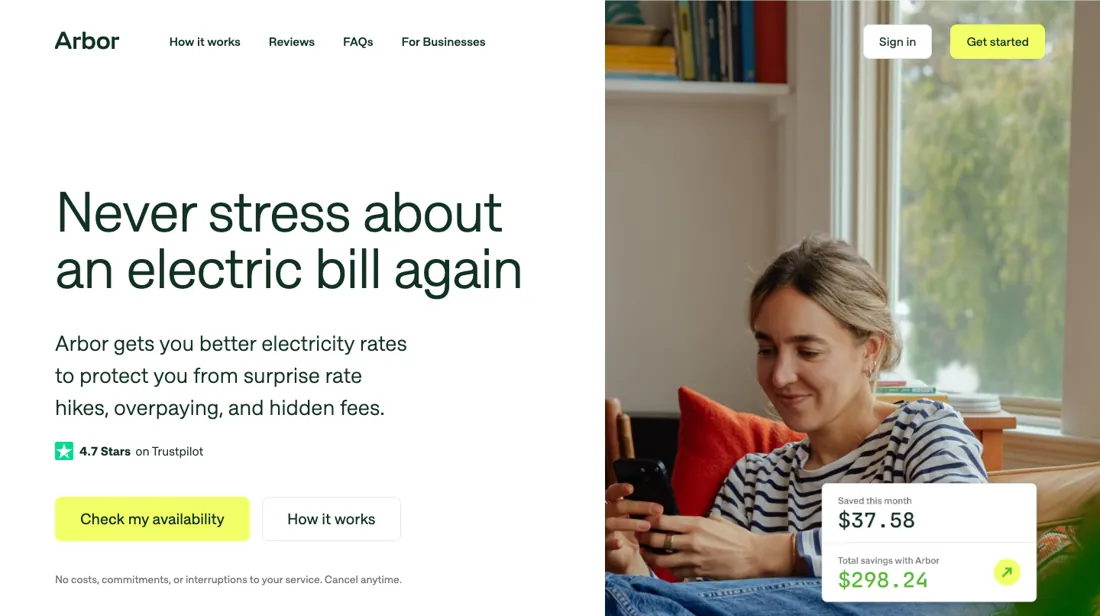
Free US service that automatically finds and switches you to a cheaper electricity supply rate in the 12 states plus Washington DC that its FAQ lists (Northeast and Midwest; Texas is not on the list). Your utility and wiring stay the same, no service interruption, cancel anytime — Arbor is paid a referral fee by the supplier, so households pay nothing.
What buyers report about Arbor
Hands-on: not tested by usReported by buyers: Trustpilot, read August 2026
Themes from the buyer-review sites listed at the foot of this page, read in August 2026. We have not run Arbor ourselves, so this is other buyers' experience rather than ours. We summarise it here because the complaints are usually the part a vendor page leaves out.
- • It monitors electricity rates continuously and switches you automatically — reviewers describe it as genuinely hands-off, which is the whole point. 935+ reviews, overwhelmingly positive.
- • It costs nothing to use, and customer service gets named for prompt, helpful replies.
- • Savings are not guaranteed, and some reviewers report ending up with a higher bill rather than a lower one.
- • Arbor does not have access to every supplier's rates and does not claim the rates it finds are the lowest available. It is a shortcut, not an exhaustive comparison.
- • Switching lead times are reported as unreasonably long by some customers.
Pages read (August 2026): Trustpilot
What it costs you, and who actually pays
You pay nothing. Arbor has no pricing page at all — the URL returns a 404 — and neither our July nor our August 2026 capture produced a figure, which is exactly what a referral-funded service should look like. Re-verified on 17 August 2026. The money comes from the winning electricity supplier, which pays Arbor a referral fee when you are switched onto its rate. That is worth understanding rather than glossing over, because it tells you where the incentives point.
A service paid per switch is a service that benefits from switching you, and from switching you again. That does not make it a bad deal — rate-shopping is genuine work that most households never do — but it does mean the Autopilot preference is the setting to think about hardest. Choosing shorter terms with higher-confidence savings means more switches; choosing longer fixed terms means fewer. Both are legitimate; only one of them is also what pays the vendor.
What you actually save depends entirely on how bad your current rate is. Arbor reports an average of up to $593 a year, which is their figure rather than ours, and the honest reading of it is that averages like that are dominated by households sitting on a bad default rate. If you shopped your supply rate yourself in the last year, expect considerably less. And the saving only applies to part of the bill: Arbor touches the supply portion, while the delivery charges from your utility are untouched.
The eligibility limits are hard rather than soft. It is US-only, and only in the 12 states plus Washington DC that its own FAQ lists; Texas is not among them. If you are on a municipal or co-op utility, there is no supply market to shop and the service has nothing to do. Finally, signing up is not the same as saving. Arbor puts finding a rate at a couple of days to a few weeks, and the new rate then appears on your utility bill within one to two billing cycles.
If you are locked into a supplier contract, nothing happens until it nears expiry, because Arbor does not switch mid-term.
How to actually use Arbor
Sign-up runs in the browser or the iOS app, and Arbor puts the time at two minutes. You enter your zip code to check the market, then either link your utility login, upload a recent bill, or type in your account number and current supply rate by hand. Linking is the documented failure point: Arbor's own FAQ names invalid credentials, utility-site outages and multi-factor authentication as the usual causes, and tells you to fall back to manual entry after repeated failures.
Signing up is not the same as saving. Arbor says finding a rate takes a couple of days to weeks, and the new rate then appears on your utility bill within one to two billing cycles. If you are already locked into a supplier contract, nothing happens until it nears expiry — Arbor states it does not switch rates mid-term. Use that wait to set your Autopilot preference: shorter terms with higher-confidence savings, or longer fixed terms for stability.
Where this section comes from: our research notes (145 words)
vendor documentation only — joinarbor.com/how-it-works plus the joinarbor.com FAQ pages on getting started, utility linking, Autopilot preferences and mid-term switching; no independent walkthrough is cited because the third-party pages found were affiliate or referral-driven, not independent. Re-read 6 October and again 9 October 2026 (unchanged: free to households, supplier-paid, the same 12 states plus Washington DC, termination fees reimbursed). Earlier read 6 October 2026: How it works https://www.joinarbor.com/how-it-works (no cost to households, supplier-paid, cancel anytime with early termination fees reimbursed); Who can sign up for Arbor?
https://www.joinarbor.com/faq/who-can-sign-up-for-arbor (CT, DE, IL, MA, MD, ME, NH, NJ, NY, OH, PA, RI and Washington DC); Am I responsible for any early termination fees? https://www.joinarbor.com/faq/am-i-responsible-for-any-early-termination-fees-etfs; What if I want to cancel? https://www.joinarbor.com/faq/what-if-i-want-to-cancel; Does Arbor find the best rates? https://www.joinarbor.com/faq/does-arbor-find-the-best-rates; What happens to my Arbor-secured rate plan if I move? https://www.joinarbor.com/faq/what-happens-to-my-arbor-secured-rate-plan-if-i-move; the compensation and no-guarantee disclaimer in the joinarbor.com footer.
The natural comparison is Arcadia or DIY rate-shopping — energy platforms and state comparison sites that require more hands-on effort. Weigh it against Arcadia on the job you actually need done.
Frequently asked questions
Is Arbor really free?
Yes for households, and the structure explains why: Arbor is paid a referral fee by the electricity supplier it switches you to, not by you. There is no pricing page to check because there is no price — confirmed again on 17 August 2026. The trade is that the party paying Arbor is the supplier, so it is worth understanding which suppliers are in their network.
Where does Arbor actually work?
Only in the United States, and only where electricity supply is open to competition. Arbor's own FAQ (read 6 October 2026) names 12 states plus Washington DC: CT, DE, IL, MA, MD, ME, NH, NJ, NY, OH, PA and RI. Texas is not on that list, even though the site footer carries a Texas broker registration, and within the listed states some utilities do not allow competitive rates at all. Enter your zip code on their site before you count on it; if your state has a single regulated utility, there is no supply market to switch within and the service has nothing to do.
How much of my bill can it change?
Only the supply portion. Your utility's delivery and distribution charges are fixed regardless of who supplies the electricity, so a percentage saving on supply is a smaller percentage of the total bill. Look at what share of your own bill is supply before estimating the benefit.
What happens when the fixed rate ends, or if I want out early?
Arbor's FAQ (read 6 October 2026) says every rate it secures is fixed and commitment free. Drop a plan before the end of its term and Arbor reimburses any early termination fee the supplier charges: send it the supplier's bill and it pays the full amount, and whether a plan carries such a fee at all is shown in the plan details on your Arbor dashboard. Moving house ends the plan at the old address, and Arbor says it reimburses any moving-related fee. When a term ends, Arbor evaluates new plans and only switches you if it projects a saving over the life of the new plan; if none qualifies, it moves you back to your utility's default supply rate. Leaving Arbor itself is a request, not a button: you ask through the chatbot on your dashboard or at support@joinarbor.com, and it promises a reply within one business day.
Will Arbor find me the cheapest rate on the market?
Not necessarily, and Arbor says so itself. Its FAQ (read 6 October 2026) describes the plans it secures as coming from its own supply partners and not available in the regular marketplace, so they may differ from what a power-switch site shows. The site footer adds that Arbor does not have access to every supplier rate, does not guarantee that its rates are the lowest available at any given time, and that savings are not guaranteed. What it does promise is that each plan is fixed, fee-free and commitment free. If the lowest posted rate is what you are after, compare the plan it offers against a switch site yourself.
Is this a hands-on review of Arbor?
This is a researched assessment, not a hands-on test — where we've used a tool ourselves, we say so explicitly. We name what each tool is good and bad at, and we earn a commission only if you sign up, at no cost to you.
- Buyer reviews on Trustpilot, read August 2026.
- Arbor’s own published pricing page.
Others in this category
Reviewed financial operations tools that share ground with Arbor — comparable in what they do, not drop-in swaps:
New reviews, price changes we recorded, and the cost conditions we found. No sponsored placements. Unsubscribe anytime.
This is our researched assessment — not a paid placement. The “Visit” links on this page are affiliate links: we may earn a commission if you sign up, at no extra cost to you, and it never changes our take. How we review →