Dext Review (2026)From $25/mo for 250 Documents
 By Daan Haket · Researched and written with an AI assistant · who does what
Dext is a data-capture layer, not accounting software — it feeds Xero, QuickBooks or Sage, so you still need one of those.
accountants, bookkeepers and growing businesses drowning in receipts who want fast, accurate capture flowing straight into Xero, QuickBooks or Sage.
you're a sole trader with few receipts (pricey for low volume), or you want all-in-one accounting — Dext only does the capture layer.
Transparency: the “Visit” links on this page are affiliate links — we may earn a commission if you sign up, at no extra cost to you. No vendor can pay for a better review or verdict. How we make money →
Pricing (2026)
✓ Pricing re-verified 10 Oct 2026
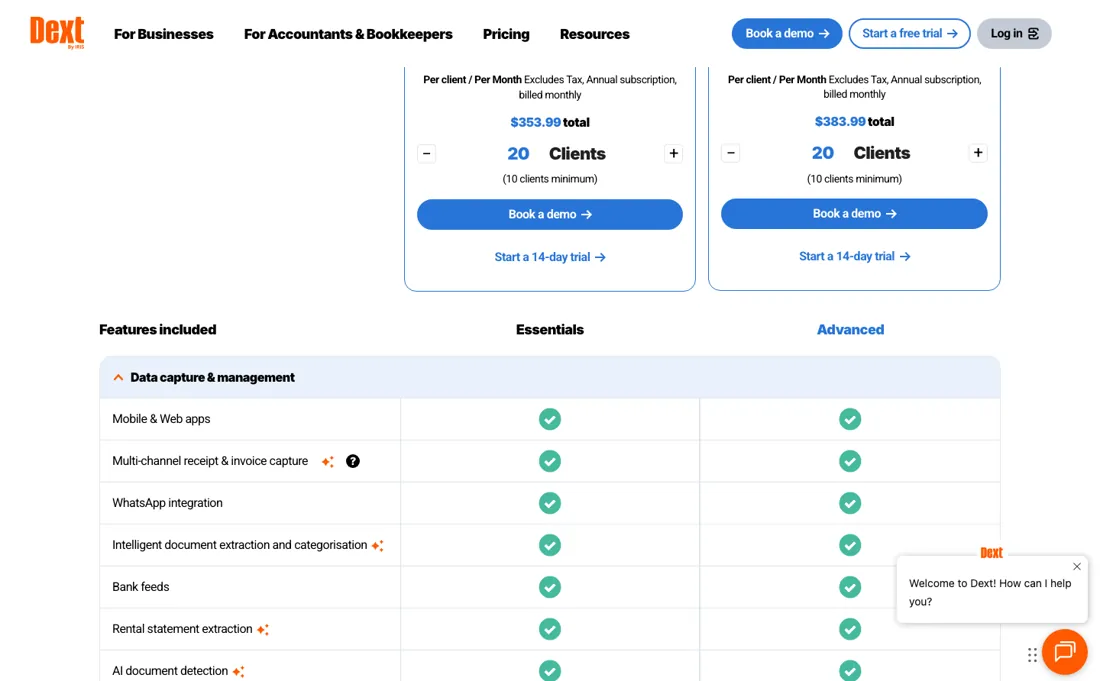
Dext has moved off named tiers: you choose a region and a billing period, then slide an allowance. The base of 250 documents a month and 5 users costs $25.21 per month billed annually ($302.50 a year) or $31.50 monthly in the Rest of the World, £30 monthly in the UK, €31.50 in the EU and A$42 in APAC, all excluding tax.
The annual discount is stated as up to 20% everywhere except the UK page, which says up to 19%. Add-ons are billed separately: AI Assist $10.5 a month until 31 January 2027 (the page said 31 October when we read it on 21 August 2026), Commerce Lite from $7.50 and Vault free for 100MB then from $4. Line Item Extraction and Supplier Statement Extraction are from $20.50 a month or $0.50 per document, and Bank Statement Extraction from $13.00 a month or $0.32 per document.
Plans include 10 sheets of bank statement extraction, 5 line-item documents and 5 supplier statement extractions as free credits, and the free trial is 14 days with no payment details required. Plans change — always verify the live price on their site.
Correction after re-checking: Our earlier text described a three-tier ladder — Starter at about £24 a month, Growing at £42 and Business at £84. Those tiers no longer exist. Read on 21 August 2026, the business pricing page sells a single plan with a region selector, a monthly-or-annual switch and a slider for documents and users, with the capture features we used to treat as tier differences now sold as separate add-ons. Do not use the old tier names to compare Dext against anything.
What the pricing page doesn’t say
Extraction accuracy varies and sometimes needs manual fixes, the UI is tricky for beginners, the mobile app is more limited than desktop, and sole traders find it pricey.
Watch the video review
The video version of this review, from our YouTube channel.
⚡ Short on time? Watch the 30-second verdict Short.
What Dext does
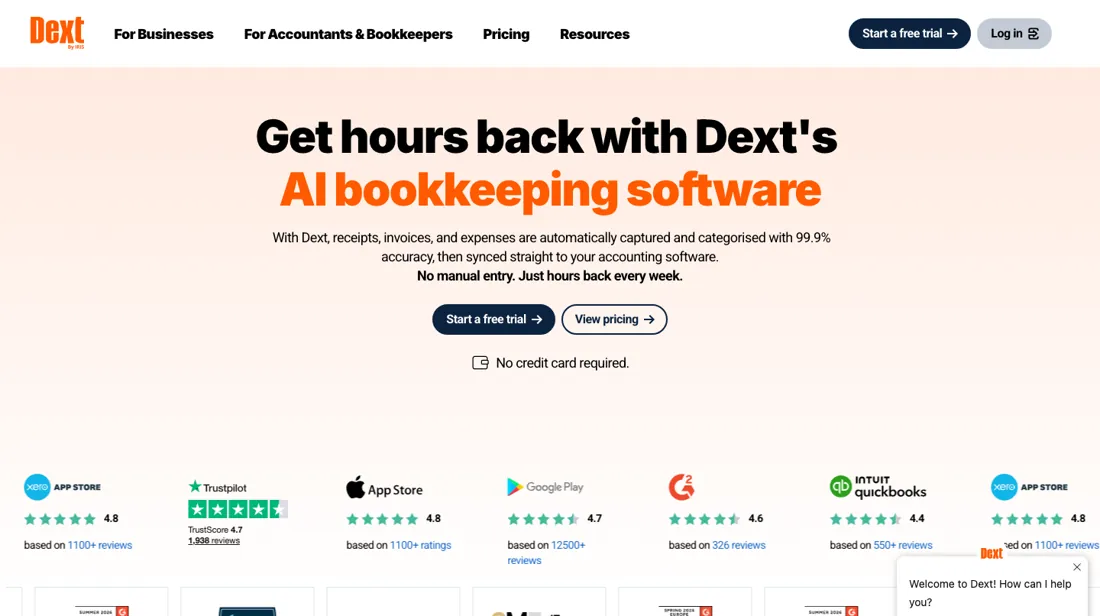
Receipt and invoice capture that extracts the data and feeds it into Xero, QuickBooks or Sage.
What buyers report about Dext
Hands-on: not tested by usReported by buyers: Capterra, GetApp, Software Advice and Tekpon, read August 2026
Themes from the buyer-review sites listed at the foot of this page, read in August 2026. We have not run Dext ourselves, so this is other buyers' experience rather than ours. We summarise it here because the complaints are usually the part a vendor page leaves out.
- • Extraction accuracy on crumpled, photographed receipts is what reviewers name, and it is the whole job. 700,000+ businesses and 12,000 accounting firms on it.
- • Bundled pricing for accounting firms is transparent, which reviewers contrast favourably with the SME side.
- • The pricing structure is inflexible, and reviewers describe recent increases as frustrating.
- • Cost rises significantly with business growth, and reviewers say it only pays if you use it heavily. From about $25 for SME plans, $199.99 for firms.
- • Reaching customer service is reported as difficult.
When the paid plan is worth it
Dext no longer sells plan tiers, so there is nothing to upgrade to: you pick a region and a billing period, then drag a slider for documents and users. On Rest of the World the base is 250 documents a month and 5 users at $25.21 a month billed annually, $302.50 up front, or $31.50 if you pay monthly. The headline figure is the annual one, and the gap is exactly the 20% the page advertises.
Region moves the number more than any choice you make. The same allowance is 30 pounds in the UK, 31.50 euro in the EU and 42 dollars AUD in APAC, and the UK page offers 19% for annual where Rest of the World offers 20%. A figure quoted for one market tells you little about another. What spending more does not buy is capability. Line item extraction, supplier statement extraction, bank statement extraction and AI Assist are separate add-ons from $13.00 to $20.50 a month; the plan carries only 5, 5 and 10 free credits of them. Sliding the document allowance up never unlocks those.
Questions we are still checking
Facts about Dext that would change a buying decision, and where we stand on each. An unanswered question does not mean the feature is missing; it means we have not confirmed it yet.
- What does a Business Single User Add-On cost? Still checking
Applies to: base plan includes 5 users.
Why it matters: the help centre says each add-on adds one user plus documents and credits, but neither it nor the pricing page prints a price, so a sixth user cannot be budgeted.
Checked: Dext help: Common questions about your Dext business account (2026-10-10); Dext business pricing (2026-10-10)
Have a public source that answers one of these? How we review explains how we check and correct.
How to actually use Dext
Signup runs through app.dext.com/en/signups: pick For businesses and start the 14-day free trial, which the help centre says needs no payment details. The first sign-in opens a setup checklist, and two items on it decide whether the rest works. Connect your accounting software under Business settings then Connections, for Xero, QuickBooks Online or Sage, because that import brings in your chart of accounts and contacts and pushes extracted data back on publish.
Without it Dext still captures documents, but the help centre routes you to a manual export instead. Then download the mobile app, which is where receipts get captured day to day. Documents reach Dext three ways: the app, drag-and-drop upload in the web app, or a unique forwarding address per user that you can hand to suppliers. Set supplier rules early. They fix the account code, tax rate and payment method per supplier, and auto-publish only earns its keep once that coding is right.
Where this section comes from: our research notes (94 words)
Dext help centre articles "Getting started with Dext for businesses" and the Get started collection (help.dext.com/en/collections/878035-get-started), plus the business pricing page at dext.com/en/business/pricing read in a browser because the price panel is client-side, read 21 August 2026. Re-verified 10 October 2026 in a browser on dext.com/en/business/pricing (Rest of the World: $25.21 a month billed annually, $302.50 a year, or $31.50 monthly; AI Assist promotion now runs to 31 January 2027) and in the help centre: "Cancelling your Dext account" (help.dext.com/en/articles/416708) and "Common questions about your Dext business account" (help.dext.com/en/articles/106216), both read 10 October 2026.
The natural comparison is Hubdoc or manual entry — the free-with-Xero and the do-it-yourself routes.
Frequently asked questions
What happens when I hit the monthly document limit?
You can keep uploading, but Dext stops extracting data from those documents until your next bill date or until you upgrade, according to the FAQ on dext.com/en/business/pricing (read 10 October 2026). The help centre shows documents processed and remaining under Business settings > Subscription > View usage, so check that before a busy month rather than after. The base allowance is 250 documents a month; more is bought by moving the slider, at a price the page shows per region.
Who counts as a user, and what does an extra one cost?
The base plan always includes 5 users, and each Business Single User Add-On adds one more user together with extra documents and credits (help centre, "Common questions about your Dext business account", read 10 October 2026). Neither that article nor the pricing page prints the add-on's price, so that is not confirmed. You change users and switch between monthly and annual billing under Business settings > Subscription > Change plan.
How do I cancel, and what happens to my receipts afterwards?
Only a user with the Business Admin role can cancel. An annual plan must be cancelled at least 30 days before the renewal date; after that window it renews (help centre, "Cancelling your Dext account", read 10 October 2026). Access runs to the end of the paid period; after that extraction stops but you can still sign in and download your data. Dext says it reserves the right to delete accounts after a subscription has expired and recommends exporting first, so download images and the CSV of extracted data in the web app before you cancel. If you bought through the App Store or Google Play, cancel there; if your accountant pays, they cancel.
Is this a hands-on review of Dext?
This is a researched assessment, not a hands-on test — where we've used a tool ourselves, we say so explicitly. We name what each tool is good and bad at, and we earn a commission only if you sign up, at no cost to you.
- Buyer reviews on Capterra, GetApp, Software Advice and Tekpon, read August 2026.
- Re-verified 2026-10-10, read in a browser on dext.com/en/business/pricing because the price panel renders client-side.
- A dated screenshot of that pricing page, kept on this site as the receipt.
Others in this category
Reviewed financial operations tools that share ground with Dext — comparable in what they do, not drop-in swaps:
New reviews, price changes we recorded, and the cost conditions we found. No sponsored placements. Unsubscribe anytime.
This is our researched assessment — not a paid placement. The “Visit” links on this page are affiliate links: we may earn a commission if you sign up, at no extra cost to you, and it never changes our take. How we review →