Datarails Review (2026)Excel-Native FP&A, Quote Only
 By Daan Haket · Researched and written with an AI assistant · who does what
You cannot find out what it costs without talking to sales, and the entry plan is smaller than it looks: Professional covers 2 users and 1 integration, so a finance team of three, or one that needs both the ERP and the CRM connected, is priced into the next tier before the conversation starts.
Excel-bound finance teams that have outgrown the spreadsheet plumbing but not the spreadsheets — consolidating several entities or data sources into one governed set of numbers, with planning, reporting and dashboards on top, while the models stay in Excel.
you are a single-entity company whose budget lives in one workbook, or a team of two that just needs a dashboard — the quote-only sales motion and the tier caps cost more in elapsed time than the problem is worth at that size.
Transparency: the “Visit” links on this page are affiliate links — we may earn a commission if you sign up, at no extra cost to you. No vendor can pay for a better review or verdict. How we make money →
Pricing (2026)
✓ Pricing re-verified 10 Oct 2026
There is no public price. Datarails publishes three plans — Professional, Premium and Expert — and every one of them carries a Request Quote button where the number would be. The page frames that as a feature: “Get a custom quote tailored to your needs. Complete cost transparency, with no consultant fees—ever.” What the page does publish is the shape of the ladder, and it is unusually explicit about what changes between tiers.
The comparison table lists the same feature set on all three plans: reporting, planning, dashboards, Data Mapper, Lookups, Workflows, Submit Button, File Boxes, Filters, version control, the Datarails AI Suite, the FinanceOS AI Connector and permissions. Only two rows differ. Professional gives 1 integration and 2 users with standard support. Premium, marked most popular, gives 2 integrations and 5 users with premium support, and adds AI Storyboards, described as board decks in one click.
Full pricing notes (4 more paragraphs)
In August 2026 Expert gave 3 integrations and 15 users with premium support plus one “additional product included”. Re-read on 10 October 2026 the cards are more specific: Premium bundles Datarails Spend (cards, bill pay, contracts), and Expert bundles Cash Management, Month-End Close, Receivables and Desk, with 15 users plus 50 viewers and 3 integrations. The same page also calls Cash, Month-End Close, Spend and Desk modules “you can layer onto any plan”, without a price.
So the meter is seats and connected systems, not features. The page states no currency, no billing period, no minimum term and does not say whether a quote is annual, and there is no free plan, no free trial and no self-serve signup: the only entry point on every page of the site is Request Demo or Request Quote. Treat any Datarails figure you have seen quoted elsewhere as unverified — on 25 August 2026 the vendor's own pricing page contains no amount at all.
One of those unpublished terms the vendor will answer if you ask. On 31 August 2026, through its partner team, Datarails told us that customers typically commit to an annual term, that billing can run monthly across that year, that users can be added as a team grows, and that adding modules or capabilities beyond the core platform can carry an extra cost that depends on the scope of the expansion.
That is the vendor's own account rather than a published rate, so it belongs in your quote in writing — but it does answer the term question the pricing page leaves open.
Plans change — always verify the live price on their site.
The honest knock
There is no free plan, no free trial and no self-serve signup anywhere on the site — every path ends at Request Demo — so there is no way to try it quietly before procurement is involved.
Watch the video review
The video version of this review, from our YouTube channel.
What Datarails does
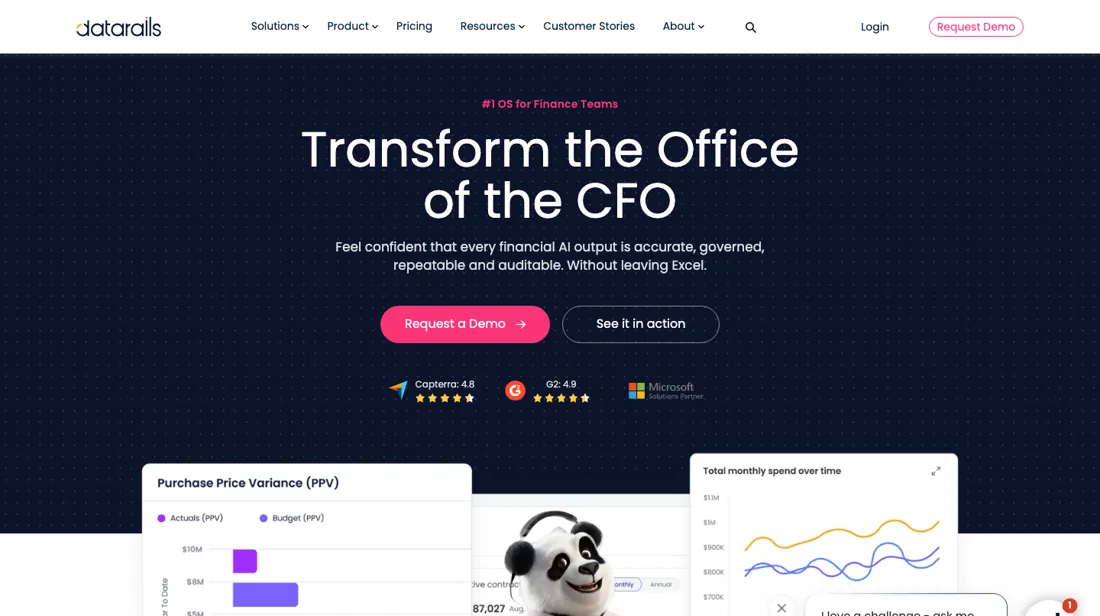
Excel-native FP&A platform for finance teams. Consolidation, planning, reporting and dashboards built on top of the spreadsheets you already use, with governed data behind them.
What buyers report about Datarails
Hands-on: not tested by usReported by buyers: Capterra, read August 2026
Themes from the buyer-review sites listed at the foot of this page, read in August 2026. We have not run Datarails ourselves, so this is other buyers' experience rather than ours. We summarise it here because the complaints are usually the part a vendor page leaves out.
- • Capterra carries 4.7 across 238 reviews, with ease of use at 4.5 and customer service at 4.8. The concrete gain reviewers repeat is consolidation: close and reporting work dropping from days to minutes, with the numbers arriving inside the Excel the team already uses rather than in a new tool. Reviewers span CFOs, finance directors and analysts at companies from 11 to 5,000+ employees.
- • The people who switched name the same reason. Luis C. P. (management consulting, two years plus) moved from Workday Adaptive Planning for the Excel integration and flexibility; Jana R. (utilities, six to twelve months) chose it over Planful for more value against the cost; Jen W. (medical devices, six to twelve months) picked it because the company was not large enough to justify a big expensive system.
- • SoftwareReviews (Info-Tech) is a much smaller sample — nine reviews, composite 7.1 out of 10 — and points the same way: what buyers repeat is that it consolidates into the Excel that already exists instead of replacing it.
- • The Excel add-in is the consistent complaint, and it is the same complaint from independent reviewers. Daniel E. (aviation and aerospace, six to twelve months) reports that workbooks with multiple tabs and Datarails references take a long time to load and refresh; Rijesh S. (outsourcing, six to twelve months) reports slow refresh on large datasets and complex models; an accounts manager describes the add-in as sluggish or bloated on large datasets. The thing that makes it easy to adopt is the thing that gets slow.
- • Setup is not light and reviewers say so plainly. Elizabeth L. (renewables, six to twelve months) says the platform requires significant setup and alignment; Jen W. found setup took longer than expected; one assistant controller describes months of add-in conflicts and inconsistent sign conventions across data sources during implementation. Data mapping and complex formulas are named as the hard part.
- • One reviewer marks the affordability edge without naming a number: Luis C. P. says the pricing may be a stretch for smaller teams or startups.
Where the ratings disagree. The gap in the buyer record is the price, and it matches exactly what the pricing page does. Across 238 Capterra reviews, no reviewer states what they pay. They deliver verdicts on a figure the public record never contains — “more value for the cost” (Jana R.), not large enough “to justify a large expensive system” (Jen W.), “may be a stretch for smaller teams” (Luis C. P.) — so the buyer record cannot be used to check the ladder either. Worth knowing about the sourcing as well: G2, TrustRadius and Gartner Peer Insights all refused the request in August 2026, and GetApp returns the identical 4.7 over 238 because it draws on the same review pool as Capterra. So the vendor's own claim of strong standing across G2, Capterra and Gartner rests on two independent readable records here, one of which has nine reviews in it.
What actually drives the quote
Two numbers decide your tier, and both are countable before you speak to anyone. How many people need to be in the platform, and how many systems must feed it. Professional stops at 2 users and 1 integration, so a finance team of three, or one that needs both the ERP and the CRM connected, is already out of the entry plan and the conversation starts at Premium. Count those two honestly first: they are the only rows in the comparison table that move.
The feature ladder, unusually, gives you nothing to negotiate over. Consolidation, planning, dashboards, version control, the AI Suite and the FinanceOS AI Connector are all on the entry plan. The exceptions, read 10 October 2026, are AI Storyboards and premium support from Premium up, Datarails Spend bundled into Premium, and Cash Management, Month-End Close, Receivables and Desk bundled into Expert. An upgrade buys capacity and bundled modules; it does not unlock the FP&A core you came for, and since the page says those modules layer onto any plan, a higher tier is not the only way to get them.
What that leaves unpriced is the part that usually costs most. The page promises no consultant fees ever — a real claim worth holding them to in writing. But it says nothing about term length, annual versus monthly billing, or what happens when your headcount crosses a tier ceiling mid-contract. Those three answers decide the two-year cost, and none of them are published.
Questions we are still checking
Facts about Datarails that would change a buying decision, and where we stand on each. An unanswered question does not mean the feature is missing; it means we have not confirmed it yet.
- What can a viewer do on Expert, and can viewers be added on Professional or Premium? Still checking
Applies to: Expert (15 users + 50 viewers).
Why it matters: only the Expert card names viewers; who needs a full user seat decides the tier.
Checked: Datarails pricing (2026-10-10) - What do Spend, Cash, Month-End Close and Desk cost when added to a lower plan? Still checking
Applies to: Professional and Premium.
Why it matters: the page bundles them into higher tiers and also says they layer onto any plan, without a price.
Checked: Datarails pricing (2026-10-10)
Have a public source that answers one of these? How we review explains how we check and correct.
How to actually use Datarails
Count two numbers before the demo call: how many named users need to be in the platform, and how many systems must feed it. Those are the only rows that differ between Professional, Premium and Expert, so they set your tier before any negotiation does. Walking in with “three users, two integrations” turns an open-ended quote into a bounded one. Then test it on your own numbers rather than theirs.
The whole pitch is that your Excel models stay yours, so hand them one real, messy consolidation and ask to see it mapped rather than watching a scripted demo on sample data. How long the data mapping takes against your actual chart of accounts is the implementation risk, and it is exactly the part a polished walkthrough will not show you. Finally, get the commercial terms in writing while the quote is still open.
Term length and whether billing is annual. What “no consultant fees, ever” actually covers — implementation, the initial mapping, and the re-mapping you will need when your ERP changes. What Spend, Cash, Month-End Close and Desk cost as add-ons on a lower plan, since the page bundles them into Premium and Expert but also says they layer onto any plan. And what one extra user costs when you cross a tier ceiling mid-contract, because on this ladder that is the only way the price moves.
Distilled from Datarails' own pricing page, www.datarails.com/pricing/, read 10 September 2026. Datarails publishes no list price — the page routes to a demo — which is why our review describes the model and the questions to ask rather than a rate. Re-verified 10 October 2026 on www.datarails.com/pricing/ (plan cards, comparison table and modules section); the ladder changed since August 2026.
The natural comparison is Cube or Vena — the honest comparison is against the other Excel-native FP&A platforms rather than against Excel itself; what is distinctive here is that every tier carries the same feature set — consolidation, planning, dashboards, the AI suite and the connector — so the ladder buys seats, integrations and, at the top, a second product from the wider line rather than capabilities.
Frequently asked questions
How many users and integrations does each plan include?
Per datarails.com/pricing, read 10 October 2026: Professional 2 users and 1 integration, Premium 5 users and 2 integrations, Expert 15 users plus 50 viewers and 3 integrations. Only the Expert card mentions viewers; what a viewer can do, and whether viewers can be added on the lower plans, is not confirmed on the page. No plan shows a price.
Are Spend, Cash, Month-End Close and Desk included?
Partly, depending on the tier. Read 10 October 2026, the Premium card includes Datarails Spend (cards, bill pay, contracts) and the Expert card includes Cash Management, Month-End Close, Receivables and Desk; Professional includes none of them. The same page calls Cash, Month-End Close, Spend and Desk modules you can layer onto any plan but gives no add-on price. On 31 August 2026 Datarails' partner team told us modules beyond the core can carry an extra cost depending on scope, so get that in the quote.
Is this a hands-on review of Datarails?
This is a researched assessment, not a hands-on test — where we've used a tool ourselves, we say so explicitly. We name what each tool is good and bad at, and we earn a commission only if you sign up, at no cost to you.
- Buyer reviews on Capterra (and its GetApp mirror), SoftwareReviews (Info-Tech), read August 2026.
- Read 2026-08-25 on www.datarails.com/pricing.
Others in this category
Reviewed financial operations tools that share ground with Datarails — comparable in what they do, not drop-in swaps:
New reviews, price changes we recorded, and the cost conditions we found. No sponsored placements. Unsubscribe anytime.
This is our researched assessment — not a paid placement. The “Visit” links on this page are affiliate links: we may earn a commission if you sign up, at no extra cost to you, and it never changes our take. How we review →