Blinq Review (2026)
 By Daan Haket · Researched and written with an AI assistant · who does what
The core product is honestly cheap — the cost that grows hides in event lead capture, now billed per lead at $9.99 a credit on top of the Business seats (read 7 October 2026), which is where teams that live on trade shows actually get value.
teams and field-sales orgs that want consistent, branded digital cards with contacts syncing straight into the CRM — and events teams via the capture add-on.
you're an individual (the free tier honestly covers you), or your networking volume doesn't justify per-user pricing.
Transparency: the “Visit” links on this page are affiliate links — we may earn a commission if you sign up, at no extra cost to you. No vendor can pay for a better review or verdict. How we make money →
Pricing (2026)
✓ Pricing re-verified 7 Oct 2026
Free forever for individuals (2 cards, unlimited QR sharing). For individuals, Premium is $9.99 a month billed monthly or $7.33 billed annually. For teams, Business is $6.99 per user a month billed monthly or $4.99 per user billed annually, with a minimum charge of five cards, adding CRM sync, templates, the admin platform and team analytics; custom reporting sits on Enterprise. Enterprise is custom.
Event lead capture is no longer a separate add-on: it is part of Business and billed per lead, 1 credit at $9.99 for each lead captured and enriched (0.75 credit when Blinq adds no email or phone, none for a duplicate), invoiced monthly in arrears on top of the seats; bulk and unlimited lead packages are quote-only. In August 2026 we recorded the add-on as starting around $199 a month (historical).
Note the individual plan costs more per person than the team plan — if there are five of you, the team tier is both cheaper per head and more capable. Plans change — always verify the live price on their site.
Category context: IT & Productivity. Across the 35 tools in this category that we researched with a public US-dollar price, the median entry price is $14 a month (lowest paid plan as listed, per seat where the vendor prices per seat). Blinq’s entry price of $9.99 a month sits below that median. Compare pricing conditions in the Software Cost Atlas →
What the price did
We capture Blinq’s own pricing page every month and keep the figures, so this is our record of the page — not a forecast, and not someone else’s summary.
Blinq's price card did not move this summer: our July and August 2026 captures both carry the same five figures — $0, $9.99 and $7.33 for individuals, $6.99 and $4.99 per user for teams — and the page returned the same on 17 August 2026.
What the pricing page doesn’t say
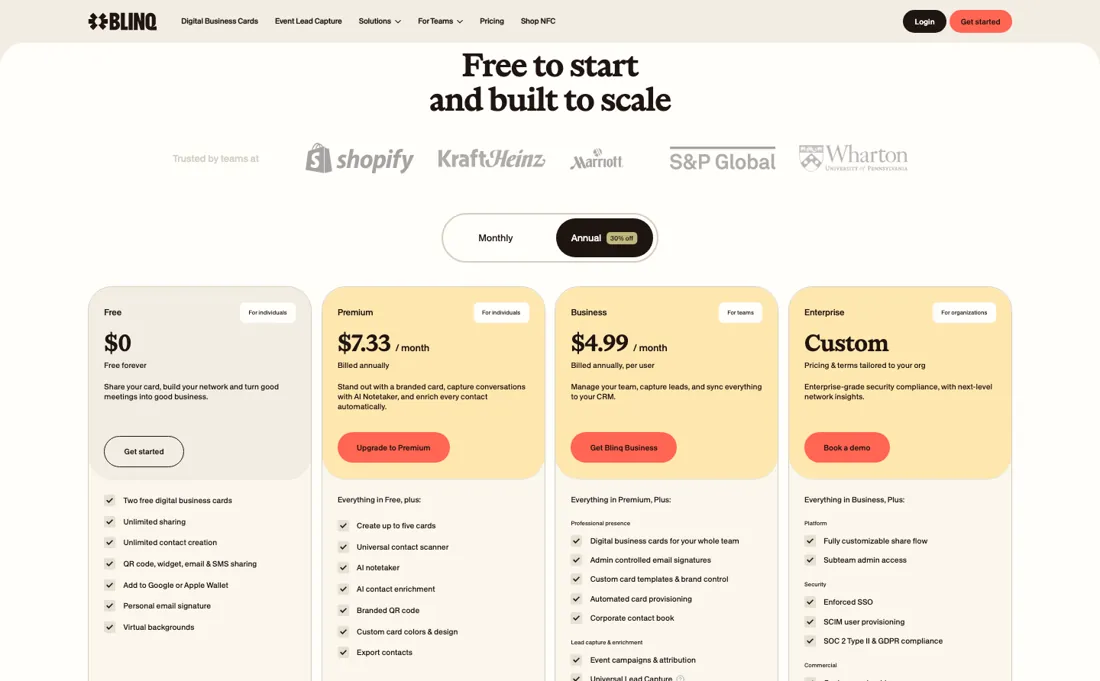
And a truth about all digital cards: the wow factor works precisely because adoption is still low; the durable value is the CRM sync (contacts flowing automatically into your pipeline), so judge Business tier by that integration, not by the tap-to-share trick.
Watch the video review
The video version of this review, from our YouTube channel.
⚡ Short on time? Watch the 30-second verdict Short.
What Blinq does
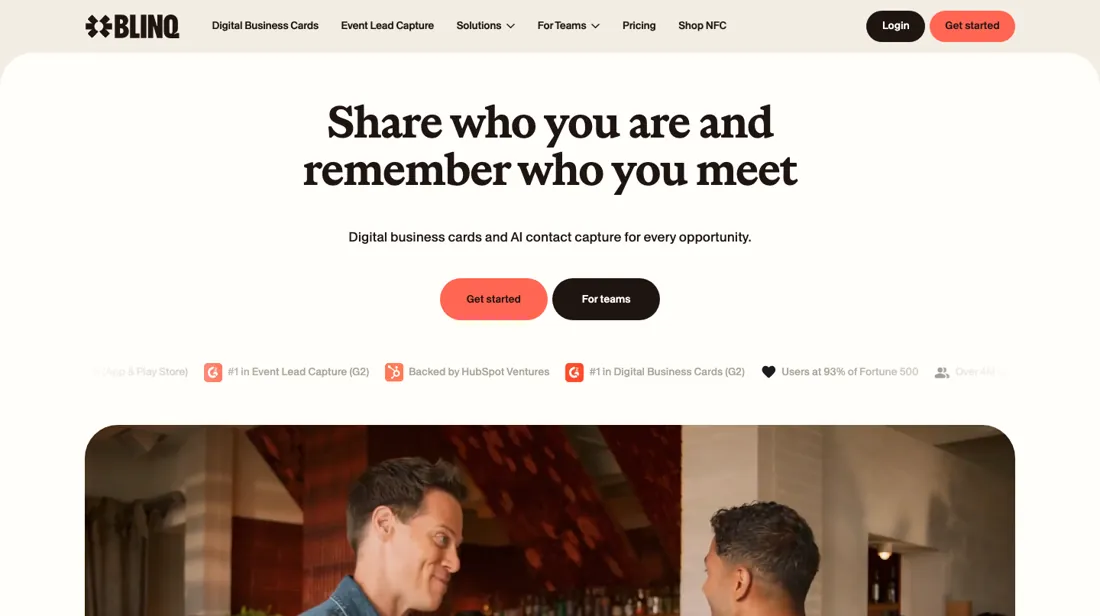
Digital business cards shared by QR code or link, with contacts syncing into your CRM.
What buyers report about Blinq
Hands-on: not tested by usReported by buyers: Capterra, GetApp, SourceForge and app-store reviews, read August 2026
Themes from the buyer-review sites listed at the foot of this page, read in August 2026. We have not run Blinq ourselves, so this is other buyers' experience rather than ours. We summarise it here because the complaints are usually the part a vendor page leaves out.
- • The free tier is genuinely usable — unlimited sharing and no Blinq branding on your card, which most competitors charge for.
- • Setup takes minutes and cards take real branding, links and media. Reviewers quote paid tiers at $4.50 and $7.50 per user per month on annual billing; those are older prices, and Blinq's own pricing page lists $4.99 (Business, per card) and $7.33 (Premium) on 7 October 2026.
- • The friction is on the receiving end, not yours. Recipients unfamiliar with digital cards — and Android users in particular — find saving your contact confusing. If your audience is not tech-forward, test it on one of them first.
- • Importing contacts is clunky.
- • Reviewers who want more than the basics find the useful extras sit behind the paid tiers.
When the paid plan is worth it
Blinq's free tier gives you two digital business cards at $0, which covers a solo user who only needs to hand over contact details. Premium at $9.99 per month, or $7.33 per month billed annually, raises that to five cards and adds branded QR codes, custom design and the AI Notetaker. Worth it if your card is a client-facing asset that has to match your brand, and not otherwise. The genuinely large jump is Premium to Business, at $6.99 per card per month billed monthly or $4.99 billed annually, with a minimum of five team cards.
That is where the admin platform, user management and admin-controlled email signatures sit, so Business is priced for the person who has to keep a team's cards consistent, not for the person carrying one. Enterprise is custom-priced and is the only tier with enforced SSO and SCIM provisioning. Upgrading does not fix control of the rollout: the help centre states that only the workspace owner can set up and manage integrations, and central signature sync is documented for Google Workspace only. Premium offers a 7-day free trial, Business a 30-day one.
Our monthly capture read this vendor's pricing page in July 2026 and again in August 2026, and the amounts were the same both times. We keep watching — the registry records what moves.
How to actually use Blinq
The Business admin onboarding guide lays out a four-step checklist, in order. Create a Team Template with your logo, colours and field permissions. Add team members by email, shareable link, bulk CSV, SSO or SCIM. Create Team Cards from the template and send activation emails, then connect your CRM under Settings > Integrations. Setup is short; the friction comes afterwards. Activation links expire — the help centre states the link in the claim email is only valid for 7 days, so any batch you send and forget has to be resent card by card.
Enforced SSO is not self-serve: Blinq asks you to email Support a list of domains with an example address for each, then approves them, and you may be required to validate ownership via DNS verification. Central email signature sync needs Google Workspace Super Admin access, and Google advises allowing up to 24 hours to install; no equivalent Microsoft 365 deployment is documented. Template images must be cropped to 16:9, and templates cannot be built from the mobile apps.
Where this section comes from: our research notes (99 words)
Everything here comes from Blinq's own pricing page and help-centre articles read in this session; we found no independent walkthrough worth citing. The buyer-voice block on this page is separate and cites Capterra, GetApp, SourceForge and app-store reviews. Re-verified 7 October 2026: blinq.me/pricing served HTML (Free; Premium $9.99 monthly or $7.33 annually; Business $6.99 or $4.99 per card; Enterprise custom; lead capture at $9.99 per lead) and these help-centre articles: Lead capture pricing https://support.blinq.me/en/articles/76257-lead-capture-pricing; How credits work at Blinq https://support.blinq.me/en/articles/86831-how-credits-work-at-blinq; How Blinq Business billing works https://support.blinq.me/en/articles/76748-how-blinq-business-billing-works; How Blinq trials work https://support.blinq.me/en/articles/76754-how-blinq-trials-work; Cancel my subscription https://support.blinq.me/en/articles/68054-cancel-my-subscription; Request a refund https://support.blinq.me/en/articles/68053-request-a-refund.
The natural comparison is HiHello or Mobilo — the digital-card peer set — compare CRM integrations and whether you need hardware (NFC cards) versus pure app.
Frequently asked questions
What does Blinq cost?
Free for individuals with two cards. Premium for individuals is $9.99 a month, or $7.33 billed annually. Business for teams is $6.99 per card a month, or $4.99 per card annually, with a minimum charge of five cards. Read on 17 August 2026 and again on 7 October 2026, unchanged.
Why is the team plan cheaper per person than the individual one?
Because it is priced for volume: $4.99 per user annually against $7.33 for a single Premium seat. The catch is the five-user minimum, so a team of three pays for five. Between three and five people the arithmetic is close — above five, the team tier wins on both price and features.
What does event lead capture cost?
Per lead, not per month. Lead capture is now part of Blinq Business: each lead captured and enriched uses 1 credit at $9.99, a lead where Blinq adds neither an email address nor a phone number uses 0.75 credit, and a duplicate uses none. Credits are billed monthly in arrears on top of your seats, and adding a contact by hand also counts as a capture. Leads captured during the 30-day Business trial use no credits, and exports, the AI Notetaker and campaigns are free. Bulk and unlimited packages are quote-only. Read in Lead capture pricing and How credits work at Blinq, 7 October 2026. Our August reading had an add-on from around $199 a month; that figure is historical.
Who counts toward the Business bill, and can I cancel or get a refund?
Cards, not people. Blinq Business charges for every active card at the start of the cycle, with a minimum charge of five cards on monthly and annual billing; an unclaimed card counts, because its link and QR code are already live, while admins and team members without a card are not billed. Cards added mid-cycle are prorated to your renewal date, and removing a card mid-cycle leaves its seat open until renewal rather than lowering the bill at once (How Blinq Business billing works, read 7 October 2026). Both trials ask for a payment method and convert to paid automatically unless you cancel before the last day. After cancelling you keep the account on the free features. Refunds for purchases made in the Blinq dashboard are case by case by email; subscriptions bought in the App Store or Google Play are cancelled and refunded only through Apple or Google.
Is this a hands-on review of Blinq?
This is a researched assessment, not a hands-on test — where we've used a tool ourselves, we say so explicitly. We name what each tool is good and bad at, and we earn a commission only if you sign up, at no cost to you.
- Buyer reviews on Capterra, GetApp, SourceForge and app-store reviews, read August 2026.
- Re-verified 2026-08-17 and 2026-10-07.
- A dated screenshot of that pricing page, kept on this site as the receipt.
Others in this category
Reviewed it & productivity tools that share ground with Blinq — comparable in what they do, not drop-in swaps:
New reviews, price changes we recorded, and the cost conditions we found. No sponsored placements. Unsubscribe anytime.
This is our researched assessment — not a paid placement. The “Visit” links on this page are affiliate links: we may earn a commission if you sign up, at no extra cost to you, and it never changes our take. How we review →