Devs.ai Review (2026)
 By Daan Haket · Researched and written with an AI assistant · who does what
The seat price is the smaller half of the bill.
teams that want to prototype and ship AI agents and apps across multiple models without engineering overhead, and that can absorb model usage metered on top of the per-seat fee.
you need SSO, access control lists or white-labelling without going through an Enterprise contract, or you need one predictable all-in bill rather than a seat fee plus metered usage.
Transparency: the “Visit” links on this page are affiliate links — we may earn a commission if you sign up, at no extra cost to you. No vendor can pay for a better review or verdict. How we make money →
Pricing (2026)
✓ Pricing re-verified 11 Oct 2026
Devs.ai does publish its pricing — on the marketing site at devs.ai/home/pricing, not at the app's /pricing route, which bounces you to a login screen. Free is $0 forever, but Agent Builder and App Builder appear there in "Core" rather than "Full" form, data upload is capped at 2 GB, and workflows, APIs and integrations are marked absent. Personal is $15 per seat / month billed annually or $18 billed monthly; Business is $30 per seat / month annually or $36 monthly; Enterprise is a custom annual contract.
The seat fee is not the whole bill: Personal includes $10 of usage per month and Business $21, with model usage metered on top of the seat. Data upload runs 2 GB, 10 GB, 20 GB and custom across the four tiers. Team governance and collaboration start at Business, while SSO (SAML 2.0 only, per the SSO documentation), access control lists, custom connectors and white-labelling are Enterprise-only.
Full pricing notes (2 more paragraphs)
Separately, Devs.ai told us by email on 5 August 2026 that organisations upgrading to a paid Personal or Business plan can earn up to $100 in usage credits for completing setup steps: starting a conversation, creating an agent, connecting an integration, deploying an app. The credits are shared org-wide and do not expire. Enterprise is excluded, and orgs already on a paid plan before July 2026 are not enrolled by default.
That last paragraph is the vendor's own statement to us, not something we found published on the pricing page.
Plans change — always verify the live price on their site.
Category context: IT & Productivity. Across the 39 tools in this category that we researched with a public US-dollar price, the median entry price is $15 a month (lowest paid plan as listed, per seat where the vendor prices per seat). Devs.ai’s entry price of $15 a month sits roughly at that median. Compare pricing conditions in the Software Cost Atlas →
What the pricing page doesn’t say
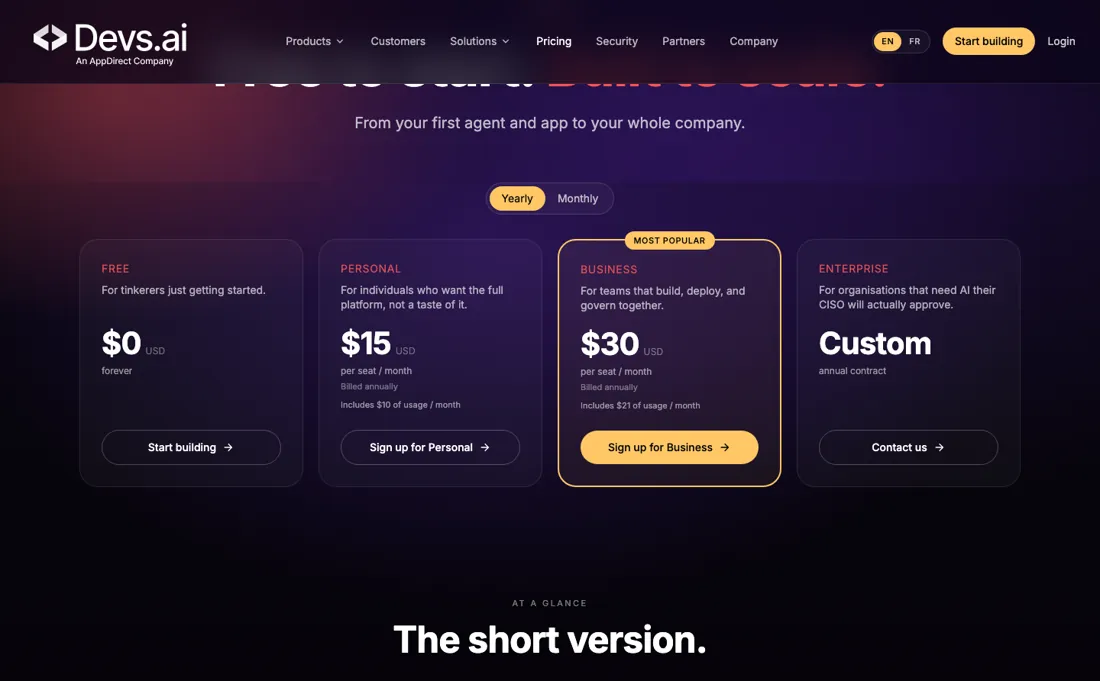
Personal includes $10 of usage a month and Business $21, with model usage metered on top of the seat. The plan cards state the included amount without stating the rate you pay once it runs out — which is exactly the number you need to forecast a real workload. The free plan is a demo rather than a working tier: both builders are limited to "Core", and workflows, APIs and integrations are absent entirely, which is much of what would make the platform useful past a first agent.
And for a product sold on IT governance, the governance controls are the ones you cannot buy with a card — SSO, access control lists and white-labelling sit on the Enterprise tier, behind a custom annual contract.
Watch the video review
The video version of this review, from our YouTube channel.
What Devs.ai does
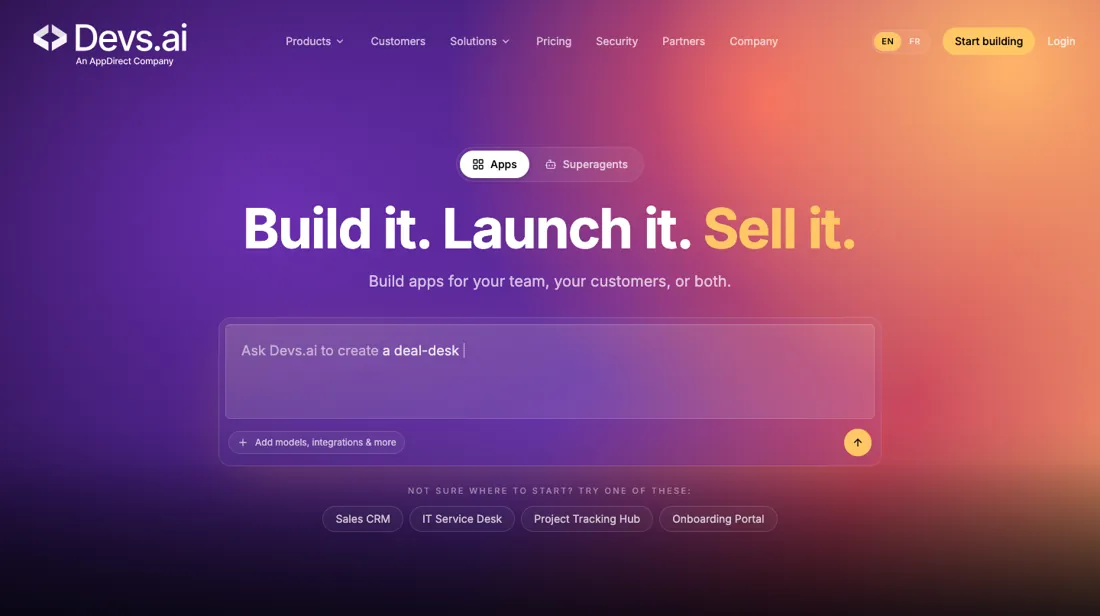
Build and ship AI agents and apps across many models without engineering work.
What buyers report about Devs.ai
Hands-on: not tested by usReported by buyers: none found
Nothing, and we would rather say so than fill the space. We looked for independent user reviews of Devs.ai on the buyer-review sites listed at the foot of this page, read in August 2026, and found none at all. That points to a young product rather than a badly reviewed one, but it does mean there is no crowd verdict to weigh: judge Devs.ai on your own trial, not on anyone's score.
- • The governance that makes it enterprise-ready also has to be configured before you roll it out. Budget that work.
- • Per-seat pricing means a wide rollout costs real money — plan the seat count first.
- • Deeply custom software and complex architecture still need actual developers. This shortens the simple work, not the hard work.
- • The plan cards state the usage included with each seat but never the rate you pay once it runs out, so a real workload cannot be forecast from the pricing page alone.
These four are our own reading of the product and its pricing page. They are not reports from other buyers, because there are none.
When the paid plan is worth it
The seat price is not the bill, and reading it that way understates both tiers. Personal is $15 a seat a month billed annually ($18 monthly) and includes $10 of usage; Business is $30 annually ($36 monthly) and includes $21. So the seat itself is really about $5 on Personal and $9 on Business, with model usage metered on top -- and the included allowance more than doubles while the price merely doubles.
If you expect to use the models at all, Business is closer to Personal than the headline suggests. The free tier is a demonstration rather than a working plan: Agent Builder and App Builder appear in Core rather than Full form, data upload is capped at 2 GB, and workflows, APIs and integrations are marked absent. Anything you would automate needs a paid seat. The real feature lines sit higher up.
Team governance and collaboration start at Business. SSO (SAML 2.0 only; the SSO documentation says OpenID Connect is not supported), access control lists, custom connectors and white-labelling are Enterprise-only -- so if your security review requires SSO, the ladder ends at a custom annual contract regardless of headcount. One thing came from the vendor rather than the page, and we mark it as such. Devs.ai told us by email on 5 August 2026 that organisations upgrading to a paid Personal or Business plan can earn up to $100 in usage credits for completing setup steps.
Those credits are shared org-wide and do not expire, Enterprise is excluded, and organisations already on a paid plan before July 2026 are not enrolled by default. That is their statement to us, not something published on the pricing page, so ask them to confirm it applies to you before counting on it.
How to actually use Devs.ai
Signup is self-serve. Create an account at devs.ai with an email address and a password, verify the address, then create an organization - that organization is what colleagues are invited into, as Member or Admin, so name it for the company rather than for yourself. You land on a homepage where the default chat agent already works and the model is chosen per session. The eye icon in the top right opens a temporary chat that saves no conversation and builds no memory, which is where to try a prompt you do not want kept.
Your own agent starts from Create Agent in the left sidebar, and the documentation suggests letting the AI wizard draft its skills first, then refining that draft. The API is a separate setup, and the step people miss. Keys are created at devs.ai/api-keys with Create new secret key, given a name and permissions. An agent will not answer until you have opened a chat session — the session is what carries the conversation history the agent reads as context.
Distilled from Devs.ai documentation at docs.devs.ai: "Getting started", "Agent Skills" and the API tutorial, together with the pricing page at devs.ai/home/pricing, read 26 August 2026. Re-verified 11 October 2026 in a live browser session on devs.ai/home/pricing with both billing toggles (all prices and included usage unchanged), plus docs.devs.ai: Enterprise SSO overview, Organization Units, Organization model settings, Analytics and FAQs, read 11 October 2026.
Devs.ai vs MindStudio, side by side
Each column shows the vendor’s own published entry price, read on the date shown. Entry prices can cover different services or units, so check what each one buys. We do not average them into a score.
Both names above are affiliate links: we may earn a commission if you sign up, at no extra cost to you. Neither changes what this table says.
The natural comparison is MindStudio or Dify — the agent-builder field — all three meter model usage differently on top of their base price, so compare on the metered layer rather than on the seat fee.
Frequently asked questions
Can I cap what metered model usage costs?
Partly, and not on every account yet. The Organization Units documentation (docs.devs.ai/docs/organization-units, read 11 October 2026) describes shared monthly and daily spend limits per department under Usage & Billing, where a parent limit is a hard stop for everyone beneath it. It says the feature is rolled out organisation by organisation and typically needs dollar-based billing; members outside a unit keep the existing personal and organisation spending limits. The rate charged once the included $10 or $21 of usage runs out is not published on the pricing page, so it is not confirmed.
Does Enterprise SSO work with OpenID Connect?
No. The Enterprise SSO overview (docs.devs.ai/docs/enterprise-sso, read 11 October 2026) says connections are SAML 2.0 only and that OpenID Connect and WS-Federation are not supported. SSO is an Enterprise feature that your Devs.ai representative has to switch on, and identity-provider groups do not map to roles; roles and permissions are managed inside Devs.ai.
Can admins keep expensive models away from some teams?
Yes, according to the Organization model settings documentation (docs.devs.ai/docs/organization-models, read 11 October 2026). Admins can restrict the organisation to an allowlist of models, choose where each model appears (chat, App Builder, agents, routines) and exclude groups or individual people from a model. The page does not say which plans include these controls, so plan availability is not confirmed.
Is this a hands-on review of Devs.ai?
This is a researched assessment, not a hands-on test — where we've used a tool ourselves, we say so explicitly. We name what each tool is good and bad at, and we earn a commission only if you sign up, at no cost to you.
- Buyer-review platforms checked: Slashdot, which lists no user reviews for it, and platform documentation, read August 2026.
- Re-verified 2026-10-11 and 2026-08-26, read in a live browser session on devs.ai/home/pricing with both billing toggles.
- A dated screenshot of that pricing page, kept on this site as the receipt.
Others in this category
Reviewed it & productivity tools that share ground with Devs.ai — comparable in what they do, not drop-in swaps:
New reviews, price changes we recorded, and the cost conditions we found. No sponsored placements. Unsubscribe anytime.
This is our researched assessment — not a paid placement. The “Visit” links on this page are affiliate links: we may earn a commission if you sign up, at no extra cost to you, and it never changes our take. How we review →