Pdfdodo Review (2026)PDF to Excel From $25 a Month, 300 Pages
 By Daan Haket · Researched and written with an AI assistant · who does what
The refund rules contradict each other: the FAQ says no refunds of any kind, the terms promise refunds within 30 days of purchase.
bookkeepers, accountants and small businesses that turn bank statements, invoices and receipts in PDF or scan form into spreadsheets a few hundred pages a month.
you need a full PDF editor rather than table extraction; you process far more than 3000 pages a month; or your documents are mainly in a language outside the six the FAQ lists.
Transparency: the “Visit” links on this page are affiliate links — we may earn a commission if you sign up, at no extra cost to you. No vendor can pay for a better review or verdict. How we make money →
Pricing (2026)
✓ Pricing re-verified 16 Oct 2026
Four plans metered by pages analysed per month: Free $0 for 25 pages a month and 5 MB per PDF; Solo $25 a month for 300 pages and 15 MB per PDF; Startup $59 a month for 1000 pages and 15 MB per PDF; Business $99 a month for 3000 pages with no upload limit and priority support. Billed yearly the cards show Startup at $49 a month ($590 billed yearly) and Business at $82.5 a month ($990 billed yearly); the Solo card shows $20 a month next to $200 billed yearly, two figures that do not match each other (12 x $20 is $240).
The page advertises 2 months free on yearly plans. One page is one credit. The FAQ says no refunds are given, partial or full, while section 8 of the terms says refunds are issued within 30 days of the original purchase. Plans change — always verify the live price on their site.
Category context: Financial Operations. Across the 10 tools in this category that we researched with a public US-dollar price, the median entry price is about $26 a month (lowest paid plan as listed, per seat where the vendor prices per seat). Pdfdodo’s entry price of $25 a month sits roughly at that median. Compare pricing conditions in the Software Cost Atlas →
What the pricing page doesn’t say
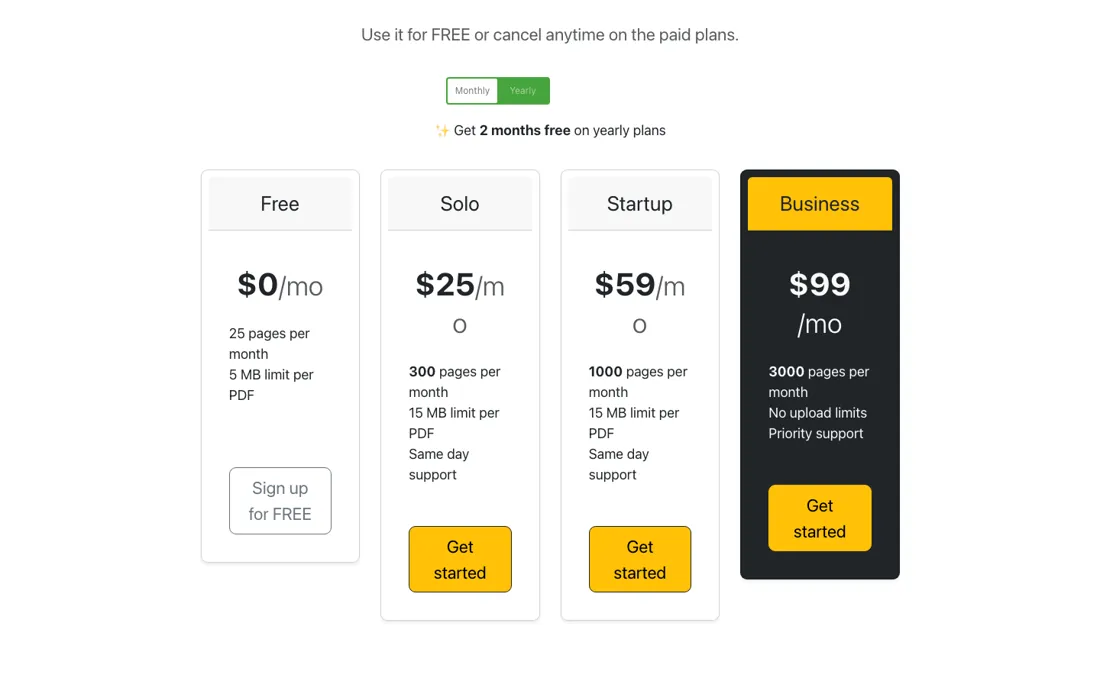
The yearly Solo card shows $20 a month beside $200 billed yearly, which cannot both be right, and no plan names its currency. Cancelling means sending an email rather than a button in the app.
What Pdfdodo does
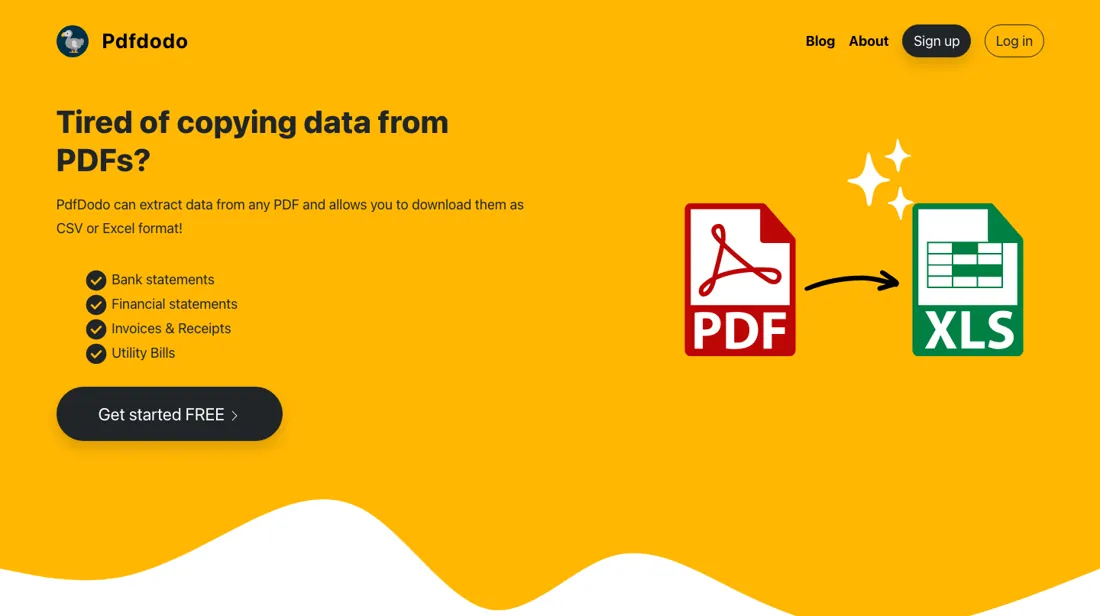
Converts PDF bank statements, invoices and receipts, including scans and handwriting, into CSV or Excel tables with OCR, with an API for automated workflows; plans are metered by pages per month.
Every plan has every feature; you buy pages
The FAQ says the free plan gets all the features of the paid plans and only the number of pages differs, so the tiers are a page meter. Each analysed page uses one credit: a 10-page bank statement costs 10 of the month's pages. Billed monthly that works out at about 8.3 cents a page on Solo, 5.9 cents on Startup and 3.3 cents on Business at full use, our arithmetic from the plan prices and page counts.
Two things change besides the page count. Free caps each PDF at 5 MB and the paid plans at 15 MB, with no upload limit on Business; and Business gets priority support where Solo and Startup list same-day support. Yearly billing is shown as two months free, which matches the Startup ($590) and Business ($990) cards. The Solo card is the odd one: it shows $20 a month next to $200 billed yearly, so check the amount at checkout before you pay for a year.
How to actually use Pdfdodo
Start on the free plan, which the FAQ says has every feature with 25 pages a month, and run the documents you actually have to convert: sign in, upload a PDF, click Analyze, and export the tables to CSV or Excel. Use your hardest file first, such as a scanned or photographed bank statement, because the FAQ says the OCR handles scans and handwriting and asks for images of at least 150 DPI.
Count pages, not files, when you pick a plan: one page is one credit, and you get an error once the month's limit is used up. If your statements are not in English, check the FAQ list first; it names German, French, Spanish, Italian and Portuguese besides English. Cancelling is done by email, which the FAQ says is processed within 24 hours.
Distilled from Pdfdodo's own pages, read in a browser on 16 October 2026: the pricing block on pdfdodo.com in both the monthly and the yearly view, the FAQ at pdfdodo.com/faq/ (credits, formats, languages, data storage, cancelling and refunds) and the terms at pdfdodo.com/terms/ (section 8, refunds). The FAQ and the terms disagree on refunds and the yearly Solo card shows two amounts that do not match; we report both as printed. The per-page arithmetic is ours. Pdfdodo is an affiliate partner of ours through Lemon Squeezy. We have not used Pdfdodo ourselves.
Pdfdodo vs Shoeboxed, side by side
Each column shows the vendor’s own published entry price, read on the date shown. Entry prices can cover different services or units, so check what each one buys. We do not average them into a score.
Both names above are affiliate links: we may earn a commission if you sign up, at no extra cost to you. Neither changes what this table says.
The natural comparison is Shoeboxed — Shoeboxed is in our dossiers too and also turns receipts into data, but it is built around a receipt archive, accounting sync and a mailed envelope of paper that people digitise; its Starter plan was $9 a month for 50 digital scans when we read it on 11 October 2026. Pdfdodo only extracts tables from PDFs and images into CSV or Excel, and meters pages rather than receipts..
Frequently asked questions
How much does Pdfdodo cost?
Read 16 October 2026: Free $0 for 25 pages a month, Solo $25 a month for 300 pages, Startup $59 for 1000 and Business $99 for 3000. Billed yearly, Startup is $590 and Business $990. The yearly Solo card shows $20 a month and $200 billed yearly, which do not match. The page does not name the currency.
Can I get a refund?
It is unclear. The FAQ says Pdfdodo gives no refunds, partial or full; section 8 of the terms says refunds are issued within 30 days of the original purchase. Ask support in writing before you buy a yearly plan.
Does it work on scanned or handwritten PDFs?
Pdfdodo says yes: the FAQ says it uses OCR on scanned documents, printed or handwritten, and accepts PDF, PNG, JPEG and TIFF up to 15 MB. For images it asks for at least 150 DPI.
What happens to my uploaded documents?
The FAQ says uploads are encrypted, stored only for the analysis with a storage provider holding PCI, ISO and SOC certifications, and deleted once the analysis is complete.
Is this a hands-on review of Pdfdodo?
This is a researched assessment, not a hands-on test — where we've used a tool ourselves, we say so explicitly. We name what each tool is good and bad at, and we earn a commission only if you sign up, at no cost to you.
- Read 2026-10-16 in a browser on pdfdodo.com, monthly and yearly view of the pricing block; the cards show a $ sign without naming the currency.
- A dated screenshot of that pricing page, kept on this site as the receipt.
Others in this category
Reviewed financial operations tools that share ground with Pdfdodo — comparable in what they do, not drop-in swaps:
New reviews, price changes we recorded, and the cost conditions we found. No sponsored placements. Unsubscribe anytime.
This is our researched assessment — not a paid placement. The “Visit” links on this page are affiliate links: we may earn a commission if you sign up, at no extra cost to you, and it never changes our take. How we review →